Marketing agencies do a lot at once.
You need to run ads, collect leads, send follow-ups, track results, and report back to clients. Top marketing automation tools help you handle all that work without doing everything by hand.
But how do you choose?
This article is for agency owners, account managers, and marketing ops teams who manage multiple clients. We’ll discuss how to pick a tool that fits your agency and funnel strategy and how to integrate it into your existing system after that.


What the top marketing automation tools do for agencies
Marketing automation tools are platforms that run repeatable marketing tasks for you. They can capture leads, send emails, score leads, segment audiences, trigger follow-ups, and report results.
For agencies, the real value is running these workflows across many clients without needing hands-on management for additional workflows.
Why agencies use marketing automation tools
Agencies usually adopt automation for four reasons.
- First: A faster lead response system.
When a lead comes in from an ad, speed matters. Automation can send an email or assign the lead instantly. But waiting for someone on your team to export a CSV and upload it later also means keeping your clients waiting.
- Second: Consistent follow-up.
Most leads do not convert on the first touch. Automated sequences help agencies keep follow-ups running across email and other channels.
- Third: Clearer reporting.
Automation tools can track what happens after a lead converts. That makes it easier to prove results and defend your ad budget. It also makes client reporting less of a guessing game.
- Fourth: Scale without overstepping.
Automation is how an agency takes on more clients without hiring for every new workflow. It also reduces mistakes like missed follow-ups, messy lists, and leads sitting in inboxes for hours.
Are you building a bigger system behind your campaigns? You need to map automation to your funnel stages.
Features to look for in a marketing automation tool
Most platforms claim they do automation. But that could mean a lot of different things. For agencies, the differences show up fast once you are handling multiple clients, ad sources, and CRMs.
Here is what matters:
- You want multi-step workflows, logic, triggers based on behavior, and the ability to edit flows.
- Strong segmentation, tagging, custom fields, and list management tools. If your agency runs paid ads, audience features matter too.
- Forms, landing pages, and solid lead routing rules help you move leads to the right team or pipeline fast.
- Email performance reports, in addition to better attribution, funnel reporting, and campaign-level insights.
- The ability to integrate via third-party providers. Native integrations help, but most agencies usually end up with gaps.
- Account and permission controls. Agencies need role access, approvals, and clean ways to separate clients.
You will want an integration layer that can handle ad leads, CRMs, spreadsheets, and conversion tracking without custom dev work.
If you need a strategy framework before you pick tools, focus on outcomes rather than features. Here’s how.
Top marketing automation tools for agencies
Below are four top marketing automation tools that agencies commonly use: HubSpot, Adobe Marketo Engage, Mailchimp, and ActiveCampaign.
Top marketing automation tools comparison table
| Tool | Best fit for agencies | Strong points | Watch-outs | Starting price (typical) |
| HubSpot Marketing Hub | Agencies that want one platform for content, CRM, and automation | All-in-one suite, strong inbound tools, scalable reporting | Costs rise with contacts and higher tiers, and onboarding fees on higher plans | Starter from about $15 per seat per month. Professional from about $800 and, Enterprise from about $3,600 per month |
| Adobe Marketo Engage | Enterprise B2B agencies and complex lifecycle programs | Deep lead management, scoring, routing, and strong CRM sync options | Quote-based pricing, heavier setup, and admin work | Pricing is based on database size and package |
| Mailchimp | Smaller agencies or clients focused on email and basic automation | Easy to use, solid templates, quick campaign execution | Automation depth can be limited depending on the plan, pricing varies by contacts, and send limits | Free plan available, paid plans vary by contacts and region |
| ActiveCampaign | Agencies that want strong automation without enterprise cost | Strong automation builder, segmentation, practical sales features | Pricing depends on contacts; some advanced features move up tiers | Starter from $15, Plus $49, Pro $79, Enterprise $145 per month (example pricing tied to 1,000 contacts) |
1. HubSpot Marketing Hub
HubSpot is a common pick for agencies because it combines marketing automation with CRM, content tools, and reporting in a single platform.
Hubspot is particularly loved by agencies for offering all the tools needed to cover the entire buyer’s journey from blogging, to SEO, to social media publishing, etc. Agencies that also hire a social media expert alongside automation platforms see stronger cross-channel engagement and faster lead nurturing cycles
HubSpot is built around inbound marketing workflows, so it fits agencies that publish content, run lead magnets, and nurture leads over time.
Key features agencies use
- Email marketing, forms, and landing pages tied to a CRM record
- Automation workflows that trigger based on contact behavior and lifecycle stage
- Ad tools and retargeting options in the platform
- Reporting that connects campaigns to leads and pipeline at higher tiers
Good use cases
- Running inbound programs for B2B clients who need content plus lead nurturing
- Managing the full path from lead capture to sales handoff in one system
- Agencies that want one platform to standardize onboarding and reporting across clients
Most HubSpot reviews are about its ability to
- Centralizes all client campaigns in one place
- Flexible workflows and task automation for 360° campaigns
Here’s another user review on G2:

Pricing notes
HubSpot pricing is tiered and also influenced by marketing contact volume. The official pricing breakdown in HubSpot’s own guide shows:
- Starter is priced per seat, with 1,000 marketing contacts included
- Professional starts around $800 per month and includes onboarding fees
- Enterprise starts around $3,600 per month and includes onboarding fees
That is why HubSpot can feel reasonable for one client and expensive. For agencies supporting newer companies with smaller lists, it can help to compare lighter options too.


2. Adobe Marketo Engage

Marketo Engage is built for B2B teams that need deep lead management, long sales cycles, and complex scoring and routing.
For agencies, it usually shows up when your clients are mid-market to enterprise.
Key features agencies use
- A structured lead and account database that supports segmentation and activation across channels.
- Native CRM integrations, including Salesforce® and Microsoft Dynamics, with bi-directional sync and templates.
- Paid media targeting with native ad network integrations like Google, Facebook, and LinkedIn for audience activation.
- Packaging tiers that scale from core automation to advanced ABM and analytics, including Growth, Select, Prime, and Ultimate
Good use cases
- Enterprise B2B nurture programs with strict lead scoring, routing, and sales handoffs
- Account-based marketing where you need account lists, buying group targeting, and cross-channel coordination
- Agencies running multi-region campaigns where governance and standardization matter
On G2, several users consider Merketo automation easy to use with:
- Smart lists and templating that make updates and reuse easier
- Strong integrations and helpful support for complex journeys
Take a look at this review in the user’s own words:

Pricing notes
Adobe presents Marketo Engage as packaged plans, but pricing is typically customized (per client) and depends on things like database size and selected capabilities.


3. Mailchimp

Mailchimp is still a go-to when the main job is email marketing, basic automation, and fast campaign execution.
Agencies like to use Mailchimp for smaller clients that want something easy to manage and easy to hand off.
Key features agencies use
- Email campaign building, templates, and audience management
- Automation flows for common sequences like welcome and re-engagement (advanced features depend on plan)
- AI-assisted tools are increasingly part of the platform, with more features in higher plans
Good use cases
- Local businesses and small ecommerce brands that need email marketing first
- Agencies that want clients to log in and understand what they are seeing without training sessions
- Simple nurture sequences that do not need heavy branching logic
Mailchimp gets so much hype because of its ease of use and multi-location email campaigns. What is mentioned repeatedly across reviews are also:
- Pro templates, segmentation, and reporting stay simple
- Runs multi-location campaigns smoothly without heavy tech help
Here’s an exact example of a review of Mailchimp on G2:

Pricing notes
Mailchimp pricing changes by contact count, as well as your location. For US users (USD), the starting prices are usually shown like this:
- Free is $0 per month and includes up to 250 contacts.
- Essentials starts at about $13 per month for up to 500 contacts.
- Standard starts at about $20 per month for up to 500 contacts.
- Premium starts at about $350 per month and is built for much larger lists (often starting at 10,000 contacts).
As your list grows, the monthly cost goes up. Also, Mailchimp pricing can change (for the better) with annual billing discounts or promos.


4. ActiveCampaign

ActiveCampaign is a strong middle ground for agencies that want serious automation without enterprise complexity.
ActiveCampaign is especially useful when you need segmentation, behavior-based workflows, and practical sales features.
Key features agencies use
- Multi-step automation, segmentation options, and a large set of automation recipes
- CRM and ecommerce integrations, plus landing pages depending on plan
- Automation builder supports content and workflow guidance in their help docs, which matters when you are onboarding client teams
Good use cases
- Lead nurture programs that need branching logic, tagging, and personalization
- Agencies that want sales pipeline support inside the same system
- Clients who want more than email, but do not want a full enterprise setup
Users often mention this tool as a very well-organized platform with excellent support. It also offers
- Quick support and simple contact and email management
- Easily reuse winning email HTML
- Several mentions of automation improvements
And here’s another positive review about ActiveCampaign attesting to that.

Pricing notes
ActiveCampaign pricing scales with contacts, and plan names include Starter, Plus, Pro, and Enterprise. Their pricing page shows the structure and feature differences, though the exact prices can load dynamically.
A common baseline shown in ActiveCampaign’s pricing snippet is Starter, around $15 per month, and Plus, around $49 per month, with higher tiers above that.

Why agencies keep circling back to integrations
A system of record like a CRM, an automation layer, and then channel tools like email or SMS. Integrations create an interconnected system that moves your lead data from ad platforms to CRMs, spreadsheets, and reporting dashboards.
Automation for marketing agencies
So you have found the tool that meets your needs. Now, how do you implement automation?
Marketing automation tools work best when they actually get the right data at the right time. Agencies usually hit the same problems:
- Leads come from ad platforms, but they land in the wrong place or arrive late
- Client teams forget to follow up.
- Reporting stops at form fills, so ad optimization is based on weak signals.
- Native integrations are limited or do not cover the tools your client already uses.
LeadsBridge is built to address these exact issues.
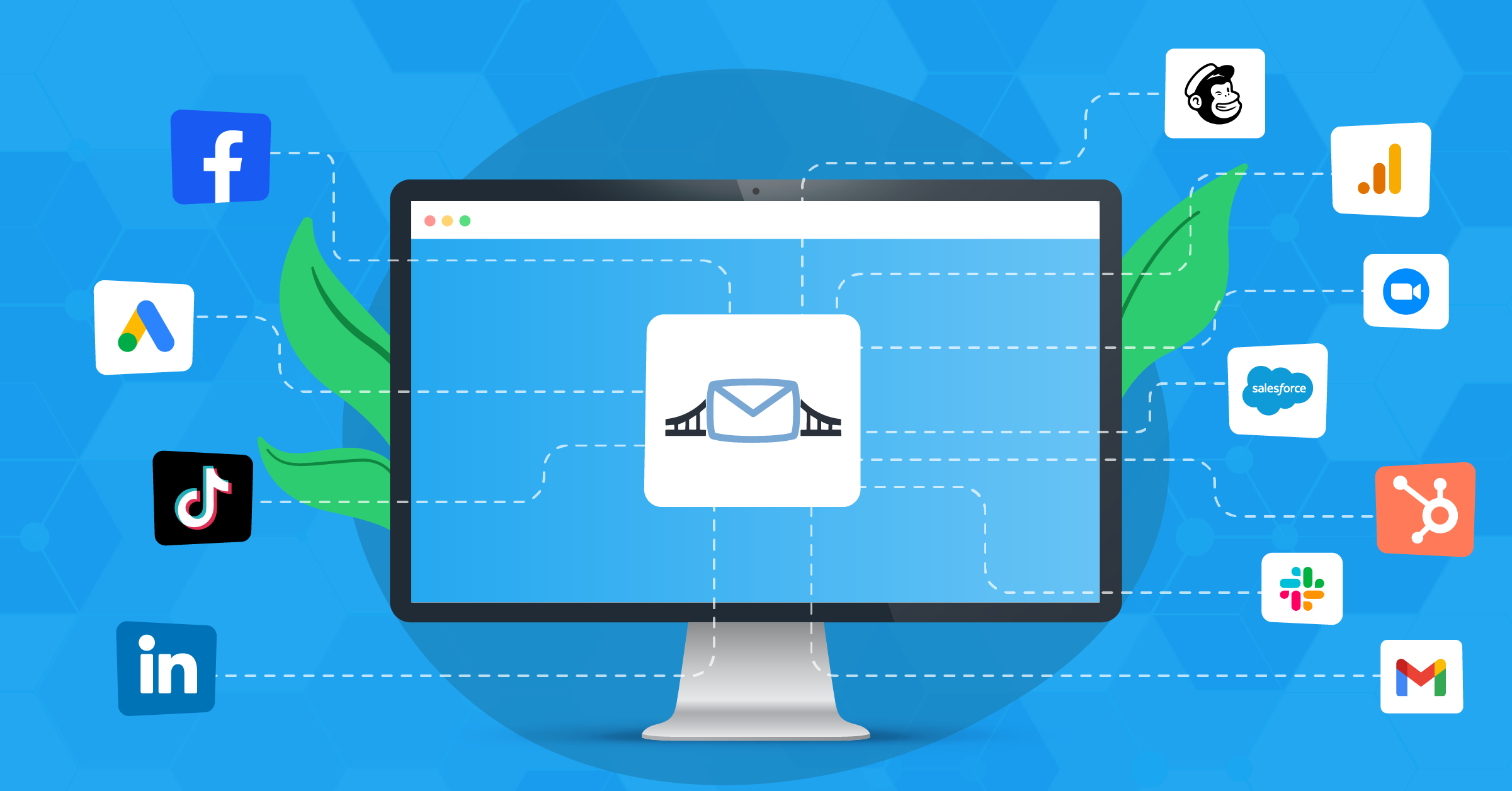
It connects major ad platforms like Meta, Google, LinkedIn, and TikTok with CRMs and marketing tools, with over 380 integrations and custom options.
It also offers a full range of integrations with marketing automation platforms you can choose from based on your strategy.
What can you get from LeadsBridge as an agency
1. Lead Sync for faster follow-up
Lead Sync moves leads from lead forms straight into your CRM or marketing automation tool in real time. This is the difference between responding in minutes vs. hours or even days.
LeadsBridge positions this as a core use case for advertisers using lead ads.
Where this helps agencies:
- Meta lead ads, LinkedIn Lead Gen Forms, Google lead form extensions, TikTok lead gen all feed into one process
- With the right setup, leads can be routed by client, region, or campaign
- Automation sequences start immediately, so you waste fewer leads
If you are running lead gen for clients, this pairs well with a stronger lead-gen process. See lead generation for digital marketing agencies.
2. Better audience targeting that helps lower ad costs
Audience Targeting keeps your ad audiences updated based on CRM or email list segments. You can retarget the right people and exclude the wrong ones automatically.
Where this helps agencies:
- Suppress existing customers from prospecting campaigns
- Build evergreen retargeting audiences that update as leads move through the funnel
- Segment by lifecycle stage, lead quality, or sales status
This matters a lot when you are managing multiple client accounts and need consistent automated flows. That means moving data from data sources such as your agency CRM back to the advertising platform.
This connection is made through integration, like Meta custom audiences, Google Customer Match, TikTok Custom Audiences, or LinkedIn Matched Audiences.


LeadsBridge also supports Meta Conversions Leads optimization data transfers, which helps when your segment-based targeting is somehow lacking.

3. Conversion Sync and server-side tracking for real attribution
A lot of agencies still optimize campaigns on shallow signals, such as form fills. Conversion Sync helps connect what happens later, like qualified leads, appointments, or closed deals, back to ad platforms.
Tracking can happen if you have set up a connection to the Meta Conversions API, Google Enhanced Conversions, LinkedIn Conversions API, and TikTok Conversions.


Where this helps agencies:
- You can optimize for real outcomes
- You can send higher-quality conversion signals back to ad platforms for better delivery
- You get cleaner reporting for client conversations
If you manage paid social for clients, these guides help connect the pieces:
- Facebook ads for a digital marketing agency
- How to run Facebook ads for clients
- And for TikTok workflows, see TikTok ads for agencies
4. Meta-specific tools for agencies running Lead Ads
LeadsBridge also promotes Meta tools built around lead gen and measurement. For example, its Leads Ad Dashboard is described as using actual source data instead of modeled data, and it reports metrics like CPA and lead generation rate.
That matters when clients question lead volume and cost and you need numbers you can defend.
On top of that, LeadsBridge has Performance Booster, which works like a Meta performance optimizer for lead campaigns.
It connects your CRM to Meta by sending back what happens after someone submits a lead form, like booked calls, quote requests, or deals won or lost.
That gives Meta better signals, so campaigns can optimize toward leads that actually convert.
Final thoughts
The top marketing automation tools help agencies do more work with fewer manual steps. They speed up lead follow-up, keep nurture running consistently, and make reporting more tied to real outcomes.
No matter which platform you pick, your agency needs automation to meet its data management objectives.
LeadsBridge helps close the gaps between ad platforms, CRMs, and marketing automation tools, so leads and conversion data move in real time and campaigns can be optimized based on up-to-date data.
Discover LeadsBridge solutions for marketing automation here.