
TL;DR
- Zoom Webinars is the safest pick for large live events, but it is a broadcasting tool, not a marketing one.
- Demio fits marketing teams that measure webinars by leads.
- GoTo Webinar is the most dependable for a recurring live schedule.
- EverWebinar runs evergreen sessions without a host.
- BigMarker handles multi-session summits.
- ON24 is the enterprise demand gen option, priced accordingly.
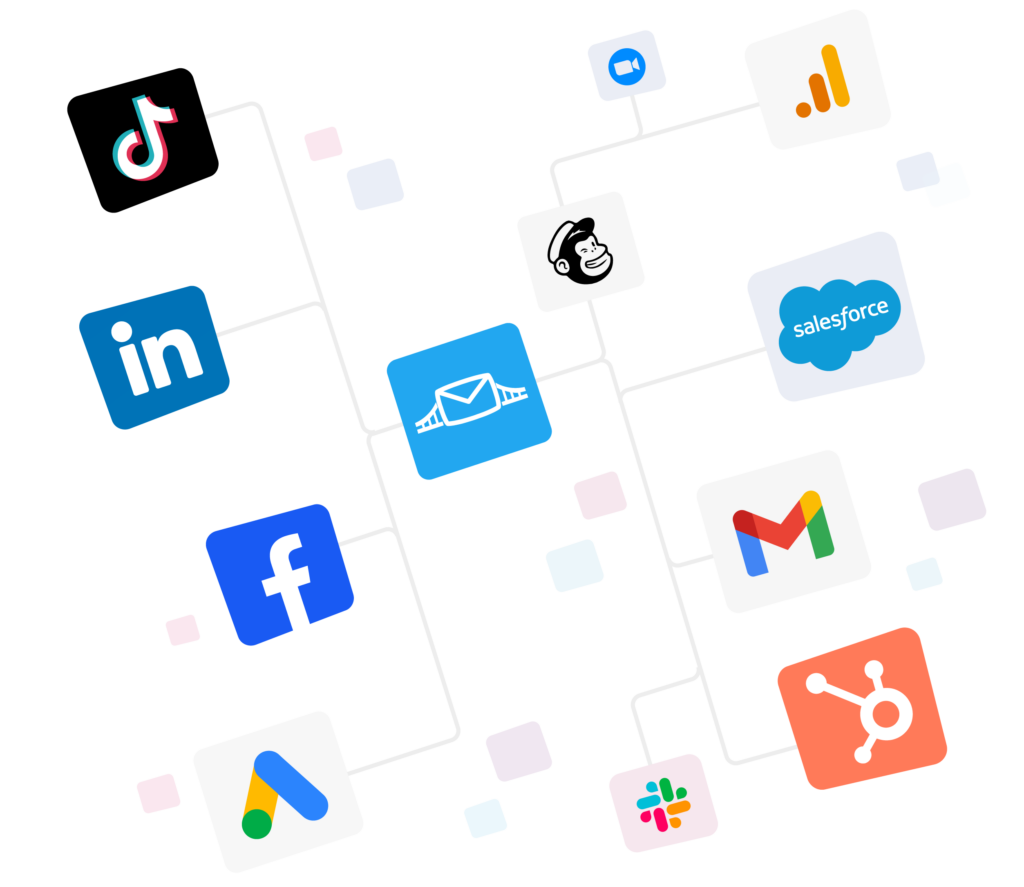
- Your webinar data needs to be connected through an automated bridge, so leads sync to your CRM and ad platforms in real time.


You are looking to compare webinar platforms because the one you have is underperforming. The tool allows little customization on your registration page. Leads are left in an export file for days. All these would add up in terms of your lead generation costs.
Also, these interactive lead generation tools seem to offer the same webinar features at first glance. However, they are actually quite different, and it’s important to know that difference before choosing one.
This guide compares six webinar platforms on features, pricing, and use case scenarios.
Our picks for the best webinar software
- Zoom Webinars
- Demio
- GoTo Webinar
- EverWebinar
- BigMarker
- ON24
Top features to look for in webinar software
Webinar platforms mostly stumble not on video quality, but on the sign-up page. They miss the reminder when attendees who meant to be there forget. And they fall short after the event, when the attendee data never makes it to the CRM, and nobody can prove the channel’s viability.
That’s also why you need to judge platforms on those three legs. Here are some features you need to look for:
- Editable registration: Edit the copy, logo, and fields in the form. Every additional field could mean more friction and accordingly fewer sign-ups.
- Reminders with a multi-step calendar invite: Most “no shows” are forgetful, not disinterested. Reminders are the cheapest way to improve attendance rates.
- Live polls, chat, and Q&A: Polls keep the engaged attendees in the session past the drop-off point, and identify who’s worth following up with.
- The replay you can host and share: 42% of webinar views now occur in the replay, according to Contrast’s 2026 data, and a tool that buries replays will lose about half its audience.
- Attendee tiers you can sell into: Larger rooms cost more, but each tier has a price bump. Know what the next tier costs, because that determines how much revenue a single show can produce.
- CRM and ad platform sync built in: 77% of marketers now use webinar data in their CRM, according to Contrast’s 2026 survey, up from 75% last year. Those who don’t waste time exporting CSVs to follow up.
- Reporting on past attendance: Time spent, poll responses, and drop-off points identify warm leads. A spreadsheet of heads counted does not.
See which webinar tools LeadsBridge connects to.
Quick view: comparing the best webinar software
| Tool | Best for | Main strength | Starting price |
| Zoom Webinars | Large live events | Scale and reliability | About $83/mo, 500 attendees |
| Demio | Marketing and lead gen | Engagement data tied to leads | About $45 per host/mo, annual |
| GoTo Webinar | Recurring live schedules | Stability and support | $50 per organizer/mo, annual |
| EverWebinar | Evergreen webinars | Simulated live scheduling | About $79/mo (two-year subscription) |
| BigMarker | Summits and conferences | Multi-session event control | Custom quote |
| ON24 | Enterprise demand gen | Engagement scoring | Custom quote |
Best online webinar software: Detailed review
1. Zoom Webinars

What it is:
A live broadcasting product for putting hundreds or thousands of people in one session. Zoom is built for scale and reliability rather than marketing workflows.
Top features:
- Capacity from 500 up to 50,000 attendees self-serve, and as high as 1 million on request for Zoom Events and Webinars Plus licenses, so outgrowing the room never means replacing the stack.
- Attendees join in a client they already have, removing the join-time problems that cost live attendance.
- Backstage controls and streaming to YouTube or Facebook for produced events.
Pricing:
Zoom Webinars paid tiers for 500 attendees start at:
- Webinars at $83 per month
- Webinars Plus starts near $290 with pre-recording and multiple speakers.
- Zoom Events near $415, offering multiple stage hosting with simultaneous live sessions
All of the tiers require a paid Zoom Workplace plan underneath, so the real entry cost is higher than the sticker.
Trust signals:
- 4.5 out of 5 on G2 across 390 reviews for Zoom Events and Webinars.
- 4.7 out of 5 on Capterra across more than 6,000 reviews, one of the largest review bases here.
Best for: Large live events and teams already standardized on Zoom.
Watch out for: Registration pages and reminders are basic, and reporting stops at attendance.
Alternative: Webex Events and Webinars, at 4.6 on G2 across 1,081 reviews.
Sign up for the Zoom Webinar for free or book a demo.
2. Demio

What it is:
A browser-based webinar platform for B2B marketing teams that treat webinars as a lead generation channel. Demio offers live, automated, and on-demand sessions run from one account.
Top features:
- No attendee downloads, which removes the most common reason registrants fail to join.
- Live and automated sessions in one product, so you avoid managing and paying for two tools.
- Reporting on watch time, poll answers, and offer clicks, giving sales a reason to prioritize one lead over another.
Pricing:
This platform is priced per host and per room size:
- Starter at about $45 per host per month, billed annually for a room of 50 attendees
- Growth starts near $80 per host for 150 attendees
- Premium is near $196, also for 150 attendees and a single host.
There is no free plan, but it does offer a 14-day trial.
Trust signals:
- 4.6 out of 5 on G2 across 171 reviews.
- 4.7 out of 5 on Capterra across 244 reviews, with ease of use cited consistently.
Best for: Marketing and demand gen teams running a regular webinar program.
Watch out for: Cost scales sharply with room size. Model the 500 and 1,000 attendee tiers before you commit.
Alternative: Livestorm, at 4.4 on G2 across 1,700 reviews, with a free tier and per-attendee pricing.
Get your free trial here or book a demo.
3. GoTo Webinar

What it is:
A long-established live platform for businesses running a regular schedule of training, onboarding, or customer sessions. It basically gives more weight to stability than design.
Top features:
- Registration, automated emails, and attendance reporting in one place, covering the live workflow without add-ons.
- A long reliability record, which matters when the same session runs weekly and cannot fail.
- A recorded video library, so past sessions stay available without extra hosting.
Pricing:
Their pricing page shows:
- Reach at $50 per organizer per month billed annually, with up to 500 attendees
- Elevate custom pricing with caps rising to 1,000 attendees
- Complete also offered via custom pricing, with caps rising from 1,000 to 3,000 attendees.
Monthly billing costs more, and each extra organizer is a full license. There’s a 30 day free trial.
Trust signals:
- 4.2 out of 5 on G2 across over 800 reviews.
- Its G2 reviewer base skews mid-market at 41.8%, reflecting adoption inside established IT departments.
- 4.5 out of 5 on Capterra across over 2000 reviews.
Best for: Fixed live schedules where uptime beats features.
Watch out for: Dated interface and weak automation. Evergreen webinars need a higher tier.
Alternative: ClickMeeting, at 4.5 on Capterra across 181 reviews, from around $26 to $32 per month.
Try GoToWebinar for free or book a demo.
4. EverWebinar

What it is:
An automation-only platform that plays pre-recorded sessions on a schedule designed to feel live. Built for always-on funnels, and sold separately from its live counterpart, WebinarJam.
Top features:
- Just-in-time scheduling starts a session minutes after someone lands on the page, removing the wait that kills signup-to-attend rates.
- Timezone-aware scheduling, so one recording serves global audiences without hosting at 3 am.
- Unlimited automated webinars, so an evergreen funnel does not get more expensive as it scales.
Pricing:
Their pricing is rather unique. The official page shows:
- $1 for 14 days for a full-feature trial, auto-converts to $199/mo if not cancelled
- $199/mo with month-to-month, no upfront discount
- $99/mo for annual, billed as $1,188 upfront (50% off monthly)
- $79/mo for the two-year term, billed as $1,896 upfront (60% off monthly)
Trust signals:
- 3.9 out of 5 on G2, but across only 21 reviews, so treat it as directional.
- Also 3.9 out of 5 on Capterra.
Best for: Marketers with one proven webinar they want running daily without a host.
Watch out for: No live streaming and review scores below the rest of this list.
Alternative: EasyWebinar, which covers live and automated sessions in one bill.
Get your EverWebinar free trial.
5. BigMarker

What it is:
A virtual event platform for multi-session summits, conferences, and large webinar series. Built for events with more than one thing happening at once.
Top features:
- Multi-session and multi-track structures, so a two-day summit is not stitched together from separate webinars.
- Deep white-label branding, which matters when the event itself is the product.
- Sponsor booths and networking features for events that must show ROI to exhibitors.
Pricing:
BigMarker does not publish pricing. Plans are quote-based and scale by attendee capacity, host seats, and features.
Trust signals:
- 4.7 out of 5 on G2 across 447 reviews.
- 4.8 for value for money on Capterra across roughly 378 reviews.
Best for: Summits, conferences, and multi-track virtual events.
Watch out for: Setup takes real time, and pricing is opaque. Not a platform you buy on Friday for a Monday event.
Alternative: Crowdcast, lighter and faster to configure for community events and workshop series.
Request pricing for BigMarker or book a demo.
6. ON24

What it is:
An enterprise digital engagement platform built around webinars, content hubs, and first-party engagement data. Aimed at teams that must attribute pipeline to webinar activity.
Top features:
- Engagement scoring on every attendee, which turns watch behavior into a signal sales can act on.
- Content hubs and always-on experiences, so one webinar keeps generating leads after the live date.
- Deep CRM and marketing automation integration, the reason enterprise teams choose it over cheaper tools.
Pricing:
ON24 does not publish pricing and uses custom annual contracts. Expect a sales process and multi-month onboarding. We could not verify a public list price, so treat third-party estimates with caution.
Trust signals:
- 4.3 out of 5 on G2 across more than 1,200 reviews.
- 40.3% of its G2 reviewers work at enterprises with over 1,000 employees, the highest enterprise share here.
- Also 4.3 out of 5 on Capterra across more than 200 reviews.
Best for: Enterprise demand gen teams reporting webinar-influenced pipeline to finance.
Watch out for: Cost and onboarding time. This is a program investment, not a tool purchase.
Alternative: BrightTALK, with a similar enterprise focus plus an audience network that supplies registrants.
Watch the ON24 demo or contact them for pricing.
How to choose the best webinar software
Start with your bottleneck, instead of all the features you want.
- Do you have low attendance issues? You need reminder sequences and registration page control.
- Do your leads often go cold? Look for CRM sync and real-time routing.
- You have no proof of ROI? Prioritize engagement reporting. 47% of marketers say that proving ROI is their biggest webinar challenge, usually because the data never left the webinar tool.
- Do your events outgrow the room? Check the next attendee tier and its price.
Then confirm two things.
Who owns the tool internally, because marketing-owned programs need marketing-grade features.
And where leads go afterward, mapped as a real path from form to CRM to ad platform. If a tool cannot complete that path without a manual export, remove it.
Connecting your webinar platform to the rest of your stack
Webinar tools capture leads. They do not distribute them. That handoff is where you can lose on return. Mostly because a lead reaching sales days later is competing with a decision already mostly made.
LeadsBridge covers that layer with more than 380 integrations across CRMs, email tools, and the major ad platforms.
- Lead Sync connects leads straight from your ad platform into your webinar tool, so registrants land there in real time. It’s the foundation of any lead generation automation workflow.


- Audience Sync turns attendee lists into custom audiences on Meta, Google, LinkedIn, and TikTok, and excludes existing registrants so you stop paying to reach them twice.

- Conversion Sync sends downstream conversions back through the Meta Conversions API and Google Enhanced Conversions Tracking, so reporting reflects revenue rather than registrations.

FAQs
There is no single best option, only the best fit for what you are trying to do. Zoom Webinars is the safest pick for large-scale live events. Demio is built for teams that measure webinars in marketing-qualified leads. GoTo Webinar is the most dependable for a recurring schedule. ON24 is the strongest option for enterprise demand generation. BigMarker handles multi-session summits better than anything else here.
Livestorm and Zoho Webinar have free plans with restrictions for the number of participants and duration. However, both YouTube Live and LinkedIn Live are not suitable for capturing leads because they do not provide an event registration page and statistics for attendees. The free version of webinar software is appropriate for trial purposes, but it is usually worth paying for a service after registering leads and obtaining analytics.
Demio and Livestorm have the highest scores for a seamless learning curve. Apart from being intuitive, those webinar software solutions are convenient because they do not require participants to download any applications.
Although GoTo Webinar has a sufficiently user-friendly interface, the design of the software resembles conventional presentations. ON24 and BigMarker are the most complex webinar software options to learn.
Create the event and set date, time, and room size. Build the registration page and limit form fields to what sales needs. Connect the platform to your CRM before you promote anything.
Promote mainly by email, send at least two reminders with a calendar invite, and run a poll roughly every 30 minutes. Afterward, share the replay and run the lead nurturing campaign based on watch time rather than attendance.
Final thoughts
These platforms are not competing for the same buyer. They offer different features that can solve problems for different audiences. You need to know what your team requires most and what goals you need to achieve before you pick your tool.
Whichever you choose, the marketing automation integration layer decides whether the program returns anything. Attendee data that stays inside the webinar tool cannot be routed, retargeted, or attributed.
Discover LeadsBridge webinar integrations or book a demo to see how registrants reach your CRM in real time.