
TL;DR
- Small businesses don’t need a dozen marketing apps, just a few good ones that share data.
- For email, pick Brevo (300 free emails a day) or Mailchimp (easiest for beginners). For AI help, use Canva for visuals and ChatGPT for writing.
- For free tracking, use Google Analytics 4 and HubSpot’s free CRM.
- You need integration to connect your tools together. LeadsBridge sends your new leads from your ads to your email tool, CRM, or Google Sheets in real time, and it has a free forever plan.


Running marketing for a small business is about both cost and utility. Sometimes, the tools meant to help can end up adding to the pile.
So which ones are actually worth it?
In this article, we review seven of the best marketing tools for small businesses looking to automate their workflows. They are grouped by job, with an overview of what each one does, what it costs, and what real users think.
- TL;DR
- Why small businesses need a few connected tools
- Quick pick of the best marketing tools for small businesses
- What to look for in a small business marketing tool
- The best small business marketing tools compared
- Best email marketing tools for small business: A detailed overview
- Best AI marketing tools for small business
- Best free marketing tools and analytics platforms for small business
- Best automation tools for small businesses
- How to choose and build your small business marketing stack
- FAQs
- Final thoughts
Why small businesses need a few connected tools
Most small businesses struggle with having too many tools, which on its own is time-consuming. But the biggest issue is about data being stored in different silos. That’s where a marketing automation approach for small businesses becomes important, which includes both strategy and tools.
You sign up for an email app, a design app, and a CRM, and soon enough you may be copying leads between them by hand. Every copy-paste is a chance for a lead to get lost.
You want one strong tool per job, but all of them connected. When a lead fills out a Facebook form, it should land in your email list and CRM on its own.
Quick pick of the best marketing tools for small businesses
Before we get into details, we have the whole list of tools for small business automation in alphabetical order.
- Brevo: Best for email on a tight budget.
- Canva: Best for AI-powered design.
- ChatGPT: Best for AI copywriting.
- Google Analytics 4: Best free website analytics.
- HubSpot: Best free CRM.
- LeadsBridge: Best for syncing leads between your ads, email and CRM.
- Mailchimp: Best email tool for beginners.
What to look for in a small business marketing tool
Every tool says it will grow your business. Here’s what to check before you sign up.
- Does it have a usable free plan? Test it on your own data before you pay.
- Does it offer native integrations or the possibility of third-party integrations? This matters most. Can it share data with your CRM, email app and ad accounts, directly or through an integration platform?
- Is it easy to use? Pick tools you can set up in an afternoon, not a month.
- Would it offer fair pricing as you grow? Check what you’ll pay when your list doubles.
- Will the package include clear reporting? You need to see which campaigns bring in leads and sales.
- Does it include other automation workflows and useful AI? Look for workflows that run without you and AI that writes real first drafts.
Learn more about AI lead generation tools here.
The best small business marketing tools compared
Here’s how all seven tools stack up side by side. Prices are the lowest paid tier in USD, as listed on each tool’s pricing page in October 2026.
| Tool | Best for | Starting price | Free plan or trial | G2 rating |
| Brevo | Email on a tight budget | $8/mo | Free plan (300 emails/day) | 4.5/5 |
| Mailchimp | Email for beginners | $13/mo | Free plan (250 contacts) | 4.3/5 |
| Canva | AI-powered design | $12/mo ($144 billed yearly) | Free plan | 4.7/5 |
| ChatGPT | AI writing and campaign ideas | $8/mo (Go) | Free plan | 4.6/5 |
| Google Analytics 4 | Website traffic and conversions | Free | Free | 4.5/5 |
| HubSpot | Free CRM and basic email | $7/seat/mo, billed yearly | Free CRM | 4.4/5 |
| LeadsBridge | Syncing leads between ads, email and CRM | $22/mo, billed yearly | Free forever (50 leads/mo) | 4.5/5 |
Best email marketing tools for small business: A detailed overview
Email marketing is great and there are many ways you can grow your email list. But also, email is the one channel you own. Mostly because no algorithm decides who sees your message, and it works great in terms of conversions as well.
Here are the top email marketing platforms that have proven themselves time and again and that you may want to consider.
Brevo

What it is
Brevo is an email, SMS and WhatsApp platform with a simple CRM built in. It charges by emails sent, not contacts stored, so your list can grow without your bill getting out of hand.
Top features
- Unlimited contacts on every plan, including free
- Drag-and-drop email editor with ready-made templates
- Marketing automation, like welcome series and follow-ups
Pricing
Brevo prices by monthly email volume (see pricing).
- Free: $0 for 300 emails a day, with Brevo branding
- Starter: from $8/month for 5,000 emails, no daily limit
- Standard: from $16/month, adds advanced automation
- Professional: $449/month for advanced data leveraging and AI
Trust signals
Mailchimp

What it is
Mailchimp is the best-known email tool for a reason. Its templates let you send a polished newsletter on day one, and it adds automations as you grow.
Top features
- Hundreds of templates and a simple drag-and-drop builder
- Customer Journey Builder for branching automations (Standard and up)
- Send-time optimization and A/B testing
Pricing
Mailchimp prices are based on the number of contacts on your list (see pricing).
- Free: $0 for up to 250 contacts and 500 emails a month
- Essentials: from $13/month (500 contacts)
- Standard: from $20/month, adds automated journeys
Trust signals
Start for free | Find out more about tiers
Brevo usually costs less. But if you want the easiest setup, go with Mailchimp. Either way, connect it to your lead sources so new sign-ups get added to your list automatically.
Best AI marketing tools for small business
AI won’t run your marketing for you, but it can save you hours on visuals and words. That’s why over half of small businesses are using AI in lead generation and other workflows.
Canva

What it is
Canva is a design tool for non-designers. Pick a template, add your logo and get a post, ad, or flyer in minutes. Its Magic Studio AI writes copy, removes backgrounds and resizes designs.
Top features
- A huge library of templates, photos and graphics
- Magic Studio AI for text, images, background removal and one-click resizing
- Brand Kit to keep your logo, fonts and colors consistent (Pro and up)
Pricing
Canva sells per person (see pricing).
- Free: $0, with a limited number of AI uses each month
- Pro: $144/year (about $12/month) or $18/month, for one person
- Business: $250/year or $25/month per person, adds team tools
Trust signals
ChatGPT

What it is
ChatGPT is OpenAI’s AI assistant. It’s one of the best marketing tools for small businesses when it comes to writing fast first drafts for subject lines, ads, product descriptions, and campaign plans.
Top features
- Drafts emails, social posts, ads and landing page copy in your chosen tone
- Custom GPTs that remember your brand voice and product details
- Image generation for quick mockups and post visuals
Pricing
ChatGPT has plans for individuals and teams (see pricing).
- Free: $0 with usage limits (shows ads in the US)
- Go: $8/month, or Plus: $20/month for advanced features
- Business: $20/user/month billed yearly, minimum 2 users
Trust signals
Try it free or learn about ads in ChatGPT
Always read AI drafts before you hit send, since AI can get facts wrong or sound generic. For more ideas, see the best marketing automation tools for startups.
Best free marketing tools and analytics platforms for small business
These two are free at the level most small businesses need:
Google Analytics 4

What it is
Google Analytics 4 (GA4) shows who visits your website and where they came from. Did that Instagram post bring in buyers or just browsers? GA4 tells you, once you set up key events.
Top features
- Traffic reports by source, like Google search, social or email
- Key events to track form fills, sign-ups and purchases
- Funnel and path reports to see where visitors drop off
- Built-in AI insights that flag unusual changes in your data
Pricing
- Free for standard use (the paid Analytics 360 is for large enterprises)
Trust signals
- Rated 4.5/5 on G2 from 6,600+ reviews
- Installed on more websites than any other analytics tool
Set up Google Analytics or see how to get started via the Analytics Academy
HubSpot

What it is
HubSpot‘s free CRM keeps every contact, deal and conversation in one place, with forms, landing pages and basic email included.
Top features
- Free CRM with room for up to 1 million contacts
- Forms, landing pages and live chat to capture leads
- Email marketing with up to 2,000 sends a month on the free plan
Pricing
HubSpot is free to start and create workflows. However, you pay as you add features (see pricing).
- Free: $0, with HubSpot branding
- Starter: $7/mo
- Professional: $90/mo
- Marketing Hub Professional: from $175/month
Trust signals
- Rated 4.4/5 on G2 from 14,800+ reviews (Marketing Hub)
Get the free CRM or take a look at all of HubSpot’s free tools
The jump from Starter to Professional is steep, so many small teams stay on the free CRM and automate the rest with an integration tool. For example, LeadsBridge can send LinkedIn Lead Gen Form leads straight into HubSpot.

Best automation tools for small businesses
What happens when someone fills out your lead form? If you don’t get them in your CRM in near real-time, you need to work on creating an interconnected data stack.
LeadsBridge

What it is
LeadsBridge connects your marketing tools. It moves leads from your ads and forms into your CRM, email platform or Google Sheet automatically, and all without having to code.
Companies contacting leads within an hour are nearly seven times more likely to qualify them. LeadsBridge sends each lead to your CRM or autoresponder the moment someone hits submit.
Top features
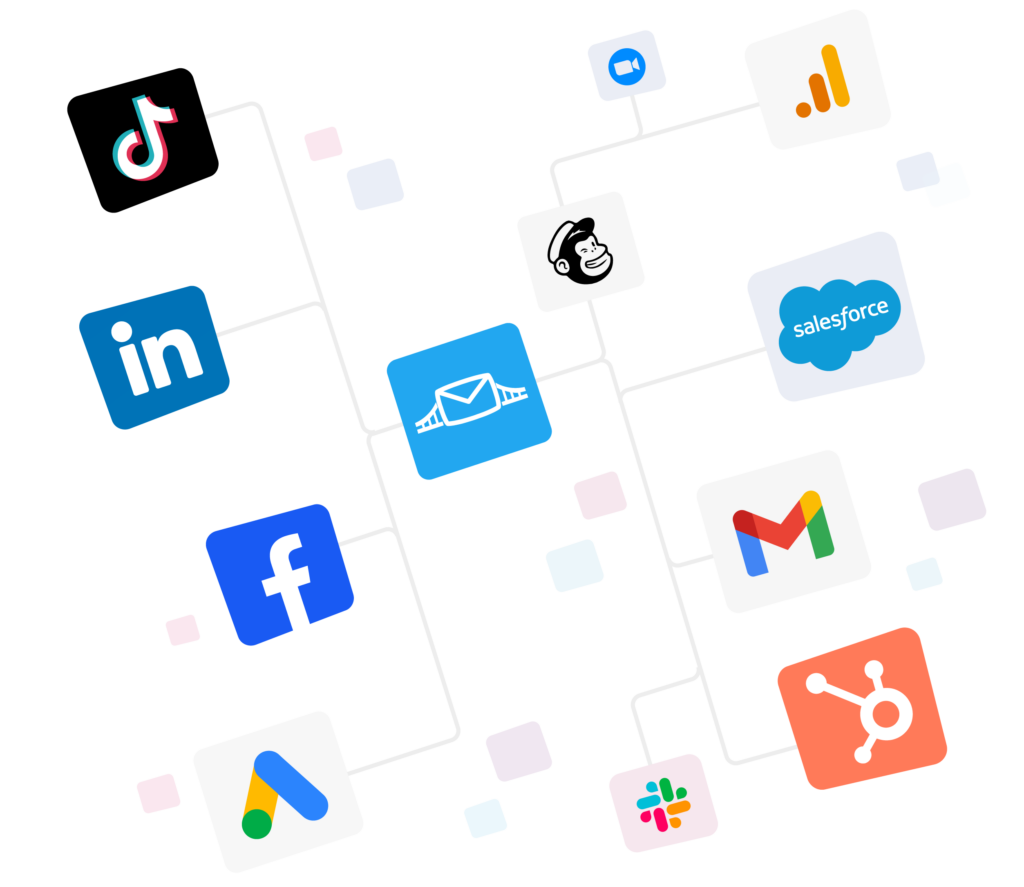
- Lead ads sync: Get leads in real time from Facebook, Instagram, Google, LinkedIn, TikTok and Snapchat lead forms into your CRM.


- Instant email alerts: Know the second a lead arrives with Facebook lead ads to Email Notification.

- Google Sheets as a starter CRM: No CRM yet? Try connecting your ad platform to Google Sheets, which can double as a simple CRM.

- Email list sync: Add leads to your email tool and trigger a welcome email, send reminders, or run nurturing campaigns.

- Audience and conversion sync (available on Pro): Keep ad audiences updated and send sales back to the ad platforms.


See more in these marketing automation examples here.
Pricing
LeadsBridge is free to start and scales with your lead volume (see pricing).
- Free: $0 for 1 running bridge and 50 leads a month
- Starter: from $22/month billed yearly, with up to 6 bridges and 2,000 leads a month
- Pro: $60/month billed yearly, up to 300,000 leads a month, plus audience sync and conversion tracking
- Business: from $999/month billed yearly, fully managed
Trust signals
- Rated 4.5/5 on G2 from 33 reviews
- Rated 89% on SelectHub
- Official Meta Business Partner for lead ads sync
Sign up for free | Discover LeadsBridge integrations
How to choose and build your small business marketing stack
It’s best that you start with the goal, then pick tools that pass data to each other.
Step 1: Pick your main goal. Do you need new customers (acquisition) or repeat buyers (retention) most right now?
Step 2: Build around that goal.
- For more leads: Run lead ads, use LeadsBridge to send each lead to HubSpot or a Google Sheet with an email alert, and track results in GA4. See our guide to automated lead generation.
- For repeat sales: Focus on email with Brevo or Mailchimp, starting with a welcome series and a “we miss you” email.
Step 3: Check that everything connects. Can each tool get data from your ads and pass it to your CRM or email app? These LeadsBridge integrations cover the most common setups.
Step 4: Start free and upgrade one tool at a time. Our marketing automation strategy guide has a step-by-step plan.
A starter stack of Brevo, Canva, ChatGPT, GA4, HubSpot CRM and LeadsBridge costs $0. Upgrading Brevo, Canva and LeadsBridge later runs about $42 a month.
FAQs
Among the best marketing tools for small businesses are: Brevo, Canva, ChatGPT, Google Analytics 4, HubSpot, LeadsBridge and Mailchimp. Together they cover email, design, writing, analytics, contacts and automation.
Google Analytics 4 and HubSpot’s CRM are the free ones. Brevo, Canva, ChatGPT and LeadsBridge all have free plans, so you can build a working stack for $0.
It depends on your list. Brevo is usually cheaper if you have lots of contacts, because it charges by emails sent. Mailchimp is easier for beginners and has more templates, but its free plan stops at 250 contacts.
There’s no fixed rule. One 2026 guide from Enrich Labs suggests keeping software to about 5 to 10% of your total marketing budget. Start free and upgrade only when a tool clearly pays off.
For everyday tasks, AI can do a lot: drafts, graphics and data insights. But it can’t set your strategy or know your customers like you do. Many small businesses use AI day to day and hire an expert for planning or big launches.
Final thoughts
Start with the free plans with any of them. Then close the gap that costs small businesses the most: the time between a lead filling out a form and your follow-up. Why let a hot lead sit in a spreadsheet until Monday?
If you want to get the most out of any of the best marketing tools for small businesses, you need to set up an interconnected stack before adding more tools to the mix.
LeadsBridge connects your ad platforms, forms, CRM and email tools so every lead lands where it should, in real time.
Discover all possible LeadsBridge integrations here.