
TL;DR
- CRM automation takes the work you do on repeat out of your sales process: lead assignment, follow-up emails, lead scoring, pipeline updates, and data sync between tools.
- The 10 best CRM automation tools right now are ActiveCampaign, Close, Freshsales, HubSpot, Insightly, Keap, Microsoft Dynamics 365 Sales, Pipedrive, Salesforce Sales Cloud, and Zoho CRM.
- Check the plan (not just the brand). Most CRMs lock real workflow automation behind their mid-tier plans, so the cheapest price on the website usually isn’t the one you’ll pay.
- Your CRM is only as fast as the data coming into it. Use LeadsBridge to push leads from Facebook, LinkedIn, Google and TikTok straight into your CRM in real time, and send CRM data back to your ad platforms for better targeting.
How much of your sales team’s day is actually spent selling? For most teams, that’s not a lot.
Manual work slows everything down, and it causes mistakes too. Every one of these is a lead you paid for and then lost.
That’s what CRM automation is for.
In this guide, we’ll break down what it is, which features matter, and the 10 best CRM automation tools for sales and marketing teams that want to stop doing the robot work.
- TL;DR
- What is CRM automation?
- Quick pick of the best CRM automation tools
- Top features to look for in a CRM automation tool
- The best CRM automation tools compared
- How to choose the right CRM automation tool
- CRM marketing automation tools
- Automate lead capture into your CRM with LeadsBridge
- FAQs
- Final thoughts
Also, we’ll talk about how to actually automate your data sync into and from your CRM using automated data bridges:
In addition, you’ll learn how to automate your data management processes using CRM integrations such as:


What is CRM automation?
CRM automation is when your CRM handles repeat tasks for you, based on rules you set up once. Something happens (a trigger), the CRM checks a few details (conditions), and then it does something (an action). And all without human intervention.
For example, when a new lead comes in from Google Ads and their company has more than 50 employees, assign them to the enterprise rep and send a welcome email. You build that rule once. It runs forever.
These are the most common CRM automations sales teams use:
- Lead assignment and routing. New leads go straight to the right rep based on territory, deal size, product, etc. This is also a solid basis for lead management automation.

- Follow-up emails. The CRM sends a welcome email, a reminder, or a full nurture sequence on a schedule. If the lead replies, the sequence stops.

- Lead scoring. Every lead gets points based on who they are (job title, company size) and what they do (opened an email, visited the pricing page). Reps call the hottest leads first. Here are 5 lead scoring examples from top CRMs if you want ideas.

- Pipeline updates. Deals move to the next stage on their own when something happens, like a signed proposal or a booked meeting. The CRM can also create tasks and ping the rep when a deal goes quiet.

- Data sync between tools. Leads from ad platforms, forms, webinars, and calendars land in your CRM automatically, and CRM data flows back out to your email and ad tools. This is the one people forget, and it’s the one that breaks everything else when it’s missing.

Quick pick of the best CRM automation tools
Every tool here connects with LeadsBridge, so you can feed it leads from your ad platforms on day one.
- ActiveCampaign is best for email-driven sales and marketing automation
- Close is best for inside sales teams that live on the phone and email
- Freshsales is best for AI lead scoring on a budget
- HubSpot is best as an all-in-one CRM for sales and marketing teams
- Insightly is best for teams that sell and then manage projects
- Keap is best for small service businesses and solopreneurs
- Microsoft Dynamics 365 Sales is best for companies already on Microsoft 365
- Pipedrive is best for simple, visual pipeline automation
- Salesforce Sales Cloud is best for large teams with complex processes
- Zoho CRM is best value for growing businesses
Top features to look for in a CRM automation tool
Every CRM says it has “automation.” But what does that actually mean? Sometimes it’s a full visual workflow builder. Sometimes it’s three canned email reminders. Here’s what to check before you sign anything.
- A visual workflow builder. You should be able to set up triggers, conditions and actions without calling a developer.
- Lead routing rules. Look for round-robin, territory-based, and rule-based assignment. Bonus points if it can reassign a lead when the first rep doesn’t follow up in time.
- Lead scoring. AI or predictive scoring helps once you have enough data for the CRM to learn from.
- Email sequences and follow-up automation. Multi-step sequences that stop when the lead replies.
- Pipeline automation. Auto-move deals between stages, create tasks, and alert reps when a deal goes cold.
- Native integrations and an open API. Your CRM has to talk to your ad platforms, forms, calendar and email tools. The more it connects with, the less copy-pasting your team does.
- Reporting on your automations. Can you see which workflows are firing, and whether they actually move deals? If not, you’re flying blind.
- Fair automation limits. Some plans cap how many workflows you can build or how many contacts you can enroll.
The best CRM automation tools compared
All ten tools below can automate the basics. The real differences come down to three things: how much automation you get on the cheaper plans, how easy the workflow builder is, and how well the CRM plays with the rest of your stack. Here’s a side-by-side look before we get into the reviews.
| Tool | Best for | Free plan | Starting price (billed annually) | Where real workflow automation starts |
| ActiveCampaign | Email-led sales + marketing | No (14-day trial) | $15/mo for 1,000 contacts | Plus ($49/mo) |
| Close | Inside sales, calling teams | No (14-day trial) | $9/user/mo | Growth ($99/user/mo) |
| Freshsales | AI scoring on a budget | Yes (up to 3 users) | $9/user/mo | Growth for basics, Pro ($39/user/mo) for sequences |
| HubSpot | All-in-one sales + marketing | Yes | $20/seat/mo | Professional ($100/seat/mo) |
| Insightly | Sales + project delivery | No | $29/user/mo | Professional ($49/user/mo) |
| Keap | Small service businesses | No | ~$249/mo (2 users, 1,500 contacts) | Included in the single plan |
| Microsoft Dynamics 365 Sales | Microsoft 365 shops | No (free trial) | $65/user/mo | Professional, with Power Automate for more |
| Pipedrive | Simple visual pipelines | No (14-day trial) | €14/seat/mo | Growth ($39/seat/mo) |
| Salesforce Sales Cloud | Large, complex sales orgs | Yes (Free Suite, 2 users) | $25/user/mo | Pro Suite ($100/user/mo) |
| Zoho CRM | Best overall value | Yes (up to 3 users) | $14/user/mo | Free edition, with Blueprint on Professional ($23/user/mo) |
Prices are list prices in USD as of October 2026 and change often. Always check the vendor’s pricing page before you buy.
1. ActiveCampaign

What it is
ActiveCampaign started life as an email marketing tool, and honestly? You can still feel it, in a good way. Its automation builder is one of the most flexible around, and it pairs with a lightweight CRM so warm leads can move straight into a sales pipeline.
Top features
- Visual automation builder with 950+ ready-made automation recipes
- Multi-step automations with branching, waits and goals
- Site and event tracking that kicks off automations
- Deal pipelines and lead scoring through the Enhanced CRM add-on
- AI that drafts campaigns and builds automations for you (Active Intelligence)
Pricing
Prices scale with your contact count; at 1,000 contacts billed annually, it’s:
- Starter $15/mo
- Plus $49/mo
- Pro $79/mo
- Enterprise $145/mo
All come with a 14-day free trial (see pricing).
Reviews
Want to build your first automation today?
Start your 14-day free trial or book a 1-on-1 demo with an expert.
2. Close

What it is
Close is built for people who sell on the phone and over email all day. Calling, SMS, email and the CRM all live in one screen.
And its AI agent, Chloe, can call your leads, qualify them and book meetings while your reps focus on closing.
Top features
- Workflows that mix email, calls, SMS and tasks in one sequence
- Built-in calling, power dialer and SMS
- Chloe, an AI sales agent that calls and qualifies leads
- Automatic lead and task assignment, plus CRM updates from workflows
- Native forms that capture leads straight into Close
Pricing
Billed per user annually:
- Solo $9
- Essentials $35
- Growth $99
- Scale $139
Its workflows start on Growth but all plans have a 14-day free trial and a 30-day money-back guarantee (see pricing).
Reviews
Try Close free for 14 days or view the product demo.
3. Freshsales

What it is
Freshsales is the sales CRM from Freshworks, and it packs a lot of automation into a low price. Freddy AI scores contacts and flags deals worth your attention, so you can prioritize with AI without an enterprise budget.
Top features
- Basic workflows from the very first paid plan
- Contact scoring and deal insights on Pro
- Sales sequences and territory management on Pro
- Built-in chat, email and phone
- Freddy AI Agent add-on for automated conversations
Pricing
Per user, billed annually:
- Growth $9
- Pro $39
- Enterprise $59
It comes with a free plan and a 21-day free trial on paid tiers (see pricing).
Reviews
Looking for AI scoring on a budget?
Start for free or get a Freshsales demo.
4. HubSpot

What it is
HubSpot Sales Hub is the sales side of HubSpot’s all-in-one platform. Marketing, sales and service share one database, so every ad click, email open, and sales call lands on the same contact record.
The free CRM is generous. However. real sales automation can be accessed on the Professional plan.
Top features
- Workflows and multi-step sequences (Professional and up)
- Breeze Prospecting Agent that finds accounts and runs outreach
- AI deal scoring that ranks the deals most likely to close
- Deal Progression AI that suggests CRM updates and drafts follow-ups
- Built-in calling with a power dialer and automatic call logging
Selling homes? Here’s how to set up HubSpot for real estate.
Pricing
Per seat, it costs:
- Free
- Starter from $7/mo (discounted for new customers)
- Professional from $90/mo
- Enterprise from $175/mo
This platform also offers a 14-day free trial and a one-time onboarding fee on Professional and Enterprise (see pricing).
Reviews
Want sales and marketing on one record?
Start a 14-day free trial of Sales Hub or get a demo of the premium editions.
5. Insightly

What it is
Insightly fits teams that sell something and then have to deliver it, like agencies and consulting firms. When a deal closes, it can turn the opportunity into a project right away, so nothing falls through the gap between sales and delivery.
Top features
- Workflow automation and lead assignment and routing (Professional and up)
- Won opportunities convert into projects automatically
- AI Copilot for email summaries and replies
- Kanban pipeline view and web-to-lead capture
- AppConnect for no-code integrations with other apps (sold separately)
Pricing
These plas are per user and billed annually:
- Plus $29
- Professional $49
- Enterprise $99
There’s a 14-day free trial on Plus and Professional (see pricing).
Reviews
- Rated 4.0/5 on Capterra from 650+ reviews
- Scores 4.0/5 for both ease of use and value for money on Capterra
Sell it, then deliver it, all in one place.
Try Insightly CRM free for 14 days or watch the on-demand demos.
6. Keap

What it is
Keap (formerly Infusionsoft, now part of Thryv) is made for small service businesses that want CRM, email, texting, booking, and payments in one box. It isn’t cheap for a tiny team. But if it replaces three or four separate tools, the math can work out.
Top features
- Drag-and-drop automation builder with a library of proven templates
- Lead scoring that triggers automations based on likelihood to buy
- Pipeline automation that sets up next steps at every stage
- Automated email and text follow-ups, plus an appointment scheduler
- Billing automation for invoices, payments and past-due reminders
Pricing
One all-in-one plan starting at $299/mo, billed at $2,988/year on annual billing, with 2 users included (+$39/mo per extra user).
There’s a required one-time implementation package and a free trial (see pricing).
Reviews
- Rated 4.1/5 on GetApp from about 1,300 verified reviews
- G2 reviewers score its quality of support 8.3/10
Watch the Keap product demo or start your free trial.
7. Microsoft Dynamics 365 Sales

What it is
Microsoft Dynamics 365 Sales is Microsoft’s sales CRM. Already living in Outlook and Teams? Then it slides right in. Pair it with Power Automate and your workflows can reach way beyond the CRM, like approvals in Teams or updates to a SharePoint file.
Top features
- Lead, opportunity, quote and order management
- Copilot summaries of leads, opportunities and email threads (Enterprise and up)
- Prebuilt AI agents, like the Sales Qualification Agent
- Predictive lead and opportunity scoring (Enterprise and up)
- Power Automate flows across Microsoft 365 (extra licenses required)
Pricing
Per user, paid yearly:
- Sales Professional $65
- Sales Enterprise $105
- Sales Premium $150
- Microsoft Relationship Sales (custom pricing, 10-seat minimum)
There’s also a free trial (see pricing).
Reviews
- Rated 3.8/5 on G2, where reviewers mention a learning curve
- Rated 3.9/5 on OMR Reviews from 138 reviews
Try Dynamics 365 Sales for free or take the guided tour.
8. Pipedrive

What it is
Pipedrive is the CRM sales reps actually enjoy opening. Every deal is a card you drag across a visual pipeline, and a simple workflow builder handles follow-ups and stage changes behind the scenes.
Top features
- Workflow automations with ready-made templates (Growth and up)
- Automated follow-up sequences triggered by email activity
- Lead routing and custom lead scoring (Premium and up)
- AI Sales Assistant plus Nova meeting intelligence on every plan
- 500+ integrations in the Pipedrive Marketplace
Pricing
Per seat, billed annually with a 14-day free trial (see pricing):
- Lite €14
- Growth €39
- Premium €59
- Ultimate €79
Reviews
- Rated 4.3/5 on G2 from 3,000+ reviews
- G2 reviewers praise its ease of use but often flag limited customization
Want a pipeline your reps will actually use?
Start your 14-day free trial or watch the Pipedrive demo.
9. Salesforce Sales Cloud

What it is
If you can dream up a sales process, you can probably build on Salesforce Sales Cloud. However, its high cost and complexity mean it shines brightest for bigger teams with an admin to run it.
Top features
- Flow for no-code workflow automation
- Lead assignment and routing rules
- AI that prioritizes the leads most likely to convert
- Agentforce AI agents on higher editions
- AppExchange marketplace with thousands of add-on apps
Running Google Ads too? Here are 5 ways to connect Google Ads and Salesforce.
Pricing
Per user, billed annually:
- Free Suite (up to 2 users)
- Starter Suite $25
- Pro Suite $100
- Enterprise $195
- Unlimited $395
- Agentforce 1 Sales $550
It also offers a generous 30-day free trial (see pricing).
Reviews
- Rated 4.4/5 on Capterra from 18,700+ reviews
- Scores 4.4/5 for features but 4.0/5 for ease of use on Capterra
Building a complex sales machine?
Start your 30-day Sales Cloud trial or watch the Sales Cloud demos.
10. Zoho CRM

What it is
Zoho CRM gives you a lot of automation for not a lot of money. Workflow and assignment rules show up even on the free edition, and its Blueprint feature keeps every rep on the same process.
Top features
- Workflows and assignment rules, even on the free edition
- Cadences that automate multichannel lead follow-ups (Standard and up)
- Blueprint process automation (Professional and up)
- AI agents and predictive intelligence from Zia
- Fits into the wider Zoho suite (Campaigns, Desk, Books and more)
Pricing
Per user, billed annually:
- Free (up to 3 users)
- Standard €14
- Professional €23
- Enterprise €40
- Ultimate €52
There’s a free trial on every paid edition (see pricing).
Reviews
- Rated 4.3/5 on Capterra from nearly 7,000 reviews
- Scores 4.3/5 for value for money on Capterra
Want the most automation per dollar?
Sign up for Zoho CRM free or get free help migrating from your current CRM.
How to choose the right CRM automation tool
So which one is right for you? Honestly, it depends less on the tool and more on your team. Walk through these steps and the answer usually shows up on its own.
Step 1: Map your sales process first.
Write down every step from “new lead” to “closed deal” and circle the ones your team repeats by hand. Those are your automation targets.
Step 2: Figure out where your leads come from.
Facebook, Google, LinkedIn, webinars? Your CRM has to receive all of them fast and without copy-paste. If it can’t connect natively, plan on a tool like LeadsBridge.
Step 3: Match the tool to your team.
A five-person team with no admin needs Pipedrive, Zoho or HubSpot. A 200-person org with RevOps can handle Salesforce or Dynamics 365.
Step 4: Test it with a real workflow.
Use the free trial to route a new Facebook lead to a rep and send a welcome email. If that takes all afternoon, imagine 20 workflows.
So here’s how to think about it:
- If you’re a small, pipeline-focused team, choose Pipedrive.
- If budget is tight, choose Zoho CRM.
- If sales and marketing share one record, choose HubSpot.
- If growth runs on email, choose ActiveCampaign.
- If reps are on the phone all day, choose Close.
- If you want AI scoring for less, choose Freshsales.
- If you sell, then deliver projects, choose Insightly.
- If you’re a service business wanting all-in-one, choose Keap.
- If you run on Microsoft 365, choose Dynamics 365 Sales.
- If your process is complex, choose Salesforce.
CRM marketing automation tools
“CRM” and “marketing automation” get thrown around like they mean the same thing. But they really don’t. (And these are not to be mistaken for CRM advertising either).
However, they all work best together. So it helps to know where one ends and the other begins.
A CRM is the sales team’s home base. It stores every contact, company and deal, and its automations focus on the pipeline: assigning leads, creating tasks, moving deals forward and reminding reps to follow up. It’s mostly about one-to-one selling.
A marketing automation platform works one-to-many. It sends email campaigns, runs nurture journeys, builds audience segments, tracks website visits and scores leads based on how engaged they are. Its job is to warm leads up until they’re ready for sales.
Now, let’s go back to which tools on our list combine both:
- HubSpot: Marketing Hub and Sales Hub share one database, so campaigns, scoring and the pipeline live together.
- ActiveCampaign: Marketing automation first, with a built-in sales CRM on top.
- Keap: CRM, email and SMS campaigns, and payments in a single plan.
- Zoho CRM: Connects natively with Zoho Campaigns and Marketing Automation, or comes bundled in CRM Plus.
Learn more about lead management automation so you know how to connect the two sides without losing leads in the middle.

Automate lead capture into your CRM with LeadsBridge
A CRM that has all the features you are looking for is great. However, all those workflows, scoring rules and routing logic, only work once a lead is inside the CRM. You need automated data bridges to sync your new leads into your CRM pipeline as they come in.
LeadsBridge connects your ad platforms and lead sources with every CRM on this list (and hundreds more), so data moves both ways, automatically, in real time. Here’s how it takes your CRM automation further.
1. Use Lead Sync to get every lead into your CRM in seconds
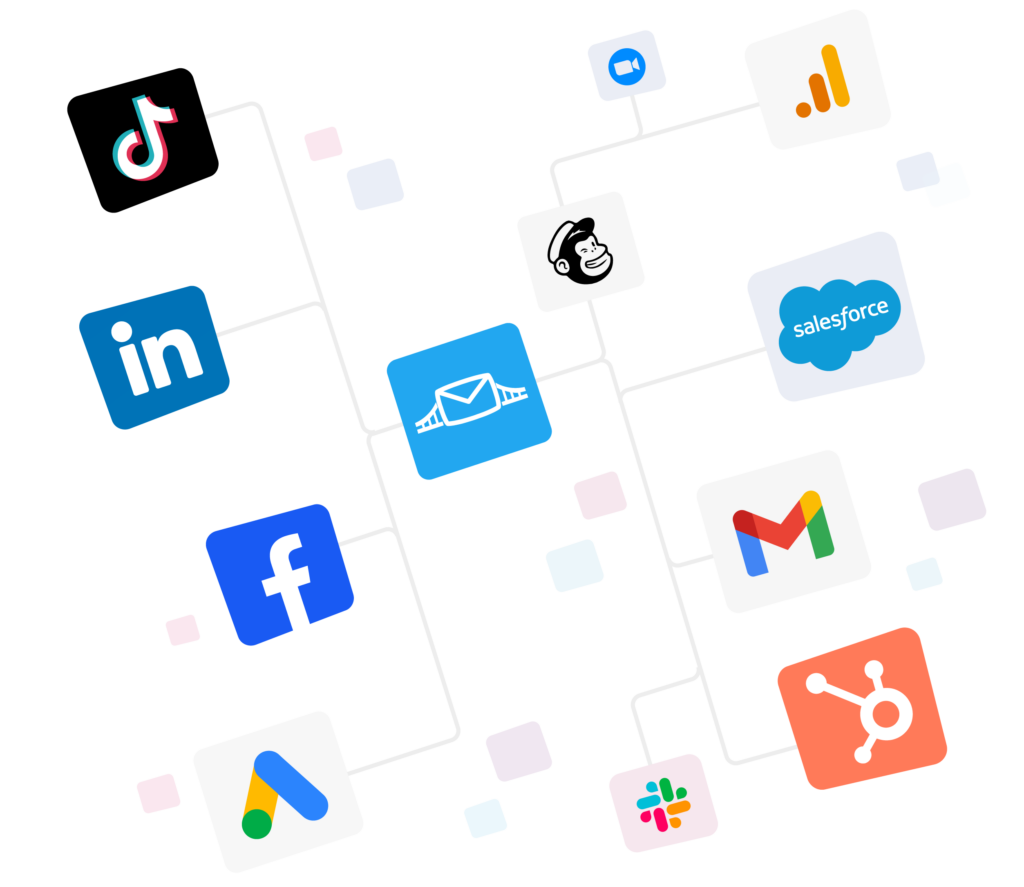
LeadsBridge pulls new leads from Facebook and Instagram lead ads, LinkedIn Lead Gen Forms, Google Ads lead forms, TikTok and more, and pushes them into your CRM the moment someone hits submit.


Your routing rules fire right away, while the lead still remembers who you are. See how Lead Ads Sync works.
2. Set up Audience Targeting to turn CRM segments into ad audiences
Your CRM knows who’s a customer, who’s mid-deal and who went cold. LeadsBridge syncs those segments with Facebook custom audiences, Google Customer Match and LinkedIn Matched Audiences, so you stop paying to reach people who already bought and retarget the ones who stalled. Learn more about Audience Sync.


3. Systemize conversion tracking to know which leads actually closed
Most ad platforms only see the form fill, not the revenue. LeadsBridge sends CRM events like “qualified” or “deal won” back to Meta through the Facebook Conversions API and to Google Ads, LinkedIn Ads, and TikTok Ads, so the algorithms learn what a good lead looks like.


Conversion Leads is Meta’s ad option that learns from your CRM which leads actually turned into customers. Meta then shows your ads to more people like them, so you get fewer junk form fills and more leads your sales team can close.

FAQs
Our top 10 are ActiveCampaign, Close, Freshsales, HubSpot, Insightly, Keap, Microsoft Dynamics 365 Sales, Pipedrive, Salesforce Sales Cloud and Zoho CRM. Small teams get the most for their budget with Pipedrive or Zoho, while HubSpot and ActiveCampaign lead for sales and marketing in one place.
How do CRM automation tools enhance efficiency?
They take repeat work off your team’s schedules. Reps set rules once instead of copying leads and writing the same follow-up 40 times a week. The result is faster response times, fewer data mistakes and more hours spent talking to buyers.
A CRM manages one-to-one selling of contacts, deals and follow-ups. Marketing automation handles one-to-many work like email campaigns, nurturing automation and engagement scoring. Marketing warms leads up, and the CRM helps sales close them.
Pretty much anything that follows a rule. The most common are:
– Lead capture, assignment and routing
– Lead scoring
– Follow-up emails and sequences
– Tasks, reminders and deal stage updates
– Data sync with your email and ad tools
Sort of. HubSpot, Zoho CRM, Freshsales and Salesforce’s Free Suite all have free plans, but real workflow automation almost always needs a paid plan. The cheapest ways in are Freshsales Growth (9/user/month) and Zoho CRM Standard (14/user/month).
Final thoughts
One last piece of advice before you go shopping. Don’t pick a CRM based on how many automations it has. Pick it based on how fast it can act on a new lead.
So here’s your real automation requirement: every new lead should land in your CRM, get assigned, and get a first touch within minutes, without a human in the middle.
Any tool on this list can do the “assign” and “first touch” part. The “land in your CRM” part is where most setups break.
Ready to stop losing leads to slow data transfers? Browse LeadsBridge CRM integrations or sign up for free and build your first bridge today.