TL;DR
- Data comes in four types: zero, first, second, and third party, differing in source, reliability, and privacy risk.
- First party data, collected directly from your own channels, is the most reliable and safest for personalization and measurement.
- Third party data offers scale for prospecting but is riskier, often outdated, and under growing regulatory scrutiny.
- Chrome still allows third party cookies in 2026, but Safari and Firefox block them by default, shrinking their overall reach.
- Server side tracking tools like Meta’s Conversions API help maintain accurate data even as browser based tracking declines.
- Best practice is to match the data type to your goal, whether that is acquisition, conversion, retention, or measurement, and to centralize storage in a CRM.
How does a business know which products to sell and at what prices or which marketing channels to use? All of this comes from data.
There are two types:
- First-party data, which is information you collect directly from your own customers and channels. This comes from your website, app behavior, email engagement, purchases, loyalty data, customer surveys, and CRM records.
- Third-party data, which basically is any information collected by someone else and then sold or shared with you, for instance, audience segments from data brokers, “interest” segments from ad tech vendors.
First-party is easier to use safely and reflects your customers’ behavior, while third-party is riskier and can be restricted quickly.
In this post, we’re going to look at the difference between first-party vs. third-party data to help you know when to use each.
- TL;DR
- What’s the difference between first-party and third-party data? And what about other types of data?
- What’s the difference between first-party and third-party cookies?
- First-party vs. third-party data: Which is better?
- How & why store first-party and third-party data
- What about cookieless tracking?
- FAQs
- Final thoughts
We’ll also discuss tools that help you collect accurate lead data and improve your marketing performance, such as the Facebook Conversions API.


What’s the difference between first-party and third-party data? And what about other types of data?
There are four core data types:
- Zero-party
- First-party
- Second-party
- Third-party
Here, we mainly focus on first-party and third-party because they usually have the biggest impact on targeting, personalization, and measurement.
The main difference is about where the data comes from. That source affects how accurate it is, how safe it is to use, and how long you can rely on it.
ccurate it is, how safe it is to use, and how long you can rely on it.
| Data Type | Source | Examples | Best Use Case | Reliability | Privacy/Compliance Risk |
| Zero-party | Directly shared by the customer (intentional) | Preference center, surveys, quiz answers, forms, sales notes | Lead qualification, intent signals, and personalization | High (permission is strong and self-reported) | Low. The user chose to share it, so you have a clear record of consent. |
| First-party | Collected by you from your own channels | Purchases, site/app behavior, email clicks, CRM, support tickets | Segmentation, lifecycle marketing, measurement, LTV/retention | High (if tracking is solid) | Low to medium. You control the data, but you still need a lawful basis under laws like GDPR and proper consent for marketing cookies. |
| Second-party | Another company’s first-party data is shared with or sold to you | Publisher audience data, retail partner data, co-marketing lists | Audience expansion with a trusted partner, overlap analysis | Medium to High (depends on partner and match quality) | Medium. Risk depends on how your partner collected the data and whether their users consented to it being shared. |
| Third-party | Aggregated by outside vendors across many sources | Broker segments, modeled interests, enrichment attributes, third-party cookies | Prospecting at scale, enrichment when allowed | Variable (often modeled and can be outdated) | High. You don’t control how it was collected, consent is often unclear, and regulations like GDPR and CCPA put this data under heavy scrutiny. |
What’s zero-party data?
Zero-party data is information customers choose to tell you on purpose. Say, what someone shares on a lead form, at checkout, in a survey, in a preference center, or even in a sales conversation.
Here’s an example:

This data is extremely useful because it shows users’ intent and motivation, which you can’t usually get from analytics alone. For example, why they’re buying, what they need, or their timeline.


What’s first-party data?
First-party data is all the data you collect directly from your own channels and systems.
This can be on-site or in-app behavior, purchase history, email or SMS engagement, your CRM fields, and support interactions.

This is your most dependable data for targeting existing audiences, improving funnels, and measuring what actually worked.
What’s second-party data?
Second-party data is basically someone else’s first-party data that they share or sell to you (usually through a partnership).

It can work well when you have a clear partner and a real reason to share audiences (like co-marketing, distribution, or retail relationships). The downside is you’re relying on their tracking and definitions, not yours.
What’s third-party data?
Third-party data comes from any point that can be considered an outside source. Or, it has collected and combined data from many places, then sold as segments or attributes.
- Third-party databases and data enrichment tools
- Third-party cookies installed on your site, like those for Google Ads or Facebook Ads
- Web scraping of publicly available information from across the internet
This data is often used to expand reach or fill in missing details (enrichment).

Keep in mind that reliability can swing a lot, and it’s usually the most exposed to privacy limits and platform changes.As public scraping and data broker aggregation grow, concerned consumers increasingly turn to the best identity theft protection services to safeguard their personal records.
What’s the difference between first-party and third-party cookies?
Cookies are small files your website stores in a user’s browser to remember things like sessions and activity.
First-party cookies are set by your own domain.
They help you find what exactly people do on your site. Did they view any pages? When and where do the sign-ins take place? What do they have in their carts, and if they finalized purchases? This data also lets you run personalized campaigns.
GA4 mainly uses first-party cookies to identify users and sessions (like the _ga cookie), so it can measure site behavior without relying on third-party cookies.
Third-party cookies are set by another domain through your site.
Who sets them is usually ad tech scripts and pixels. They’re used for cross-site tracking like retargeting, frequency caps, and some forms of attribution.
So, is Chrome killing third-party cookies?
And what actually happened with Chrome and third-party cookies?
Google spent years threatening to kill them. Then in July 2024, they officially dropped that plan. And in April 2025, they confirmed they won’t even add a new consent prompt for them. So Chrome still supports third-party cookies in 2026.
But that doesn’t mean everything’s fine. Safari and Firefox have blocked third-party cookies by default since around 2020, which means a huge slice of web traffic is already cookieless. And more Chrome users are turning on stricter privacy settings every year. So even though cookies aren’t gone, they reach fewer people than before.
So in 2026, there’s no hard cutoff date to plan around, but third-party cookies are slowly losing their reach. Building on first-party data still makes the most sense long-term.

A Consent Management Platform (CMP) collects and stores user consent and helps control which tags fire.
Now, many CMPs integrate with Google Consent Mode in Google Tag Manager, so Google tags can change behavior based on consent. For example, only using cookies when consent is granted.
Many teams are moving more and more toward server-side tracking, like Conversions APIs. This connection sends events from your CRM to a server you control, rather than relying exclusively on your browser data.
Once the platform you are advertising on has access to your up-to-date event data, it can improve audience segments and targeting.
First-party vs. third-party data: Which is better?
First-party data is the best base for segmentation, personalization, lifecycle marketing, and measurement.
Third-party data can still be useful, but mostly as an add-on.
Mainly because it’s a good addition for prospecting and enrichment, and filling in gaps like firmographics.
The problem with third-party data, besides consent issues, is the fact that it’s often modeled, can be outdated, and you don’t control how it was collected.
So all you can do with it is use it as a helpful signal.
So how do you do that?
How to use different types of data to achieve your business goals: A step-by-step guide
Step 1: Pick the goal. Don’t start with the data.
- Acquiring new customers
You need reach, so third-party or second-party data can help you find new people. But you still need first-party data to learn and optimize.
Keep in mind that third-party audience segments are shrinking in reliability in 2026, since Safari and Firefox already block third-party cookies by default, and Chrome users are increasingly opting into stricter privacy settings.
- Converting more
Stick to first-party and zero-party data here, like on-site behavior, CRM signals, form fills, and preference data. They perform a lot better than third-party for conversion. Server-side tracking tools like the Meta Conversions API help make sure these signals actually reach your ad platforms, even when browser tracking gets blocked due to privacy features like browser IP masking or cookie restrictions.
- Retaining and expanding
Your first-party data should be the main driver. Purchase history, product usage, support interactions, all of that tells you way more than any outside source. This is also where zero-party data shines: a simple post-purchase survey can tell you why someone bought, which no analytics tool can.
- Measuring performance
If your system lacks clean events and IDs, first-party data is your go-to. Third-party data tends to be noisy and unreliable for measurement. In 2026, with consent rules tightening and browser signal loss growing, clean server-side event data is more important than ever.
Step 2: Choose the minimum data that can drive an action.
Ask yourself: what decision will this data actually change? If it won’t affect your targeting, messaging, bidding, or sales routing, you don’t have enough yet. Gather more before moving ahead.
Here’s how to improve your cookieless marketing data tracking.
Step 3: Use the right data type for the job.
- Zero-party when you need intent signals like budget, timeline, or needs
- First-party when you need behavior, what people actually did with you
- Second-party when you have a trusted partner like a publisher or retail partner
- Third-party only when you need scale or enrichment, and always verify it first. In 2026, also check whether the source relies on third-party cookies, since that data is reaching fewer users than it used to.
Step 4: Quality-check before you activate.
For any non-first-party source, check:
- Freshness: How often is it updated?
- Match rate: How often does it correctly connect to your records?
- Coverage: How much of your audience does it actually fill in?
- Drift: Does it stay stable month to month?
- Consent trail: Can the vendor show how and when users consented to their data being collected and shared? In 2026, this is not optional under GDPR, CCPA, and similar laws.
Step 5: Prove value with a test.
Run a holdout or A/B test and ask:
- Does enrichment improve lead-to-meeting rate?
- Does third-party targeting beat broad targeting combined with first-party retargeting?
- Does adding attributes change conversion, or does it just add cost?
If the data doesn’t survive a test, it doesn’t deserve a budget.


From there, your sales team can use a third-party data enrichment tool or web scraping tools to search for the lead or their company. You can now discover the company size, relevant news items (like whether or not it was recently acquired or received funding), company revenue, and more.
With all of this information, you can craft a stronger deal for the client to increase the odds of closing a sale.
How & why store first-party and third-party data
It’s not first-party vs. third-party data you should worry about; it’s how to store both in a way that your team can use it.
It’s important to store all your existing data in a single location so that your marketing, sales, and customer service teams don’t have to dig through multiple tools to find all the information they might need.
Having all first-party and third-party data stored in your CRM, therefore, is the best move, and you can use 3rd party data integration and automation tools like LeadsBridge to keep all of your information synced and up to date.
You want to use this information so that you can identify high-value leads, help deliver stronger customer service, and create more relevant marketing messages. You can better understand your target audience, collect emails for targeting, and use third-party integrations to set up and automate retargeting on paid social platforms.
You can, for example, use LeadsBridge’s Custom Audiences Sync integration to effectively reach your audience through retargeting on Facebook, LinkedIn, TikTok, and Google.
Our Audience targeting integrations make it easier for you to connect segmented audiences from your CRM or your email marketing platform (or both!) with your go-to advertising platforms.


Schedule a demo to learn more about TikTok Custom Audience.
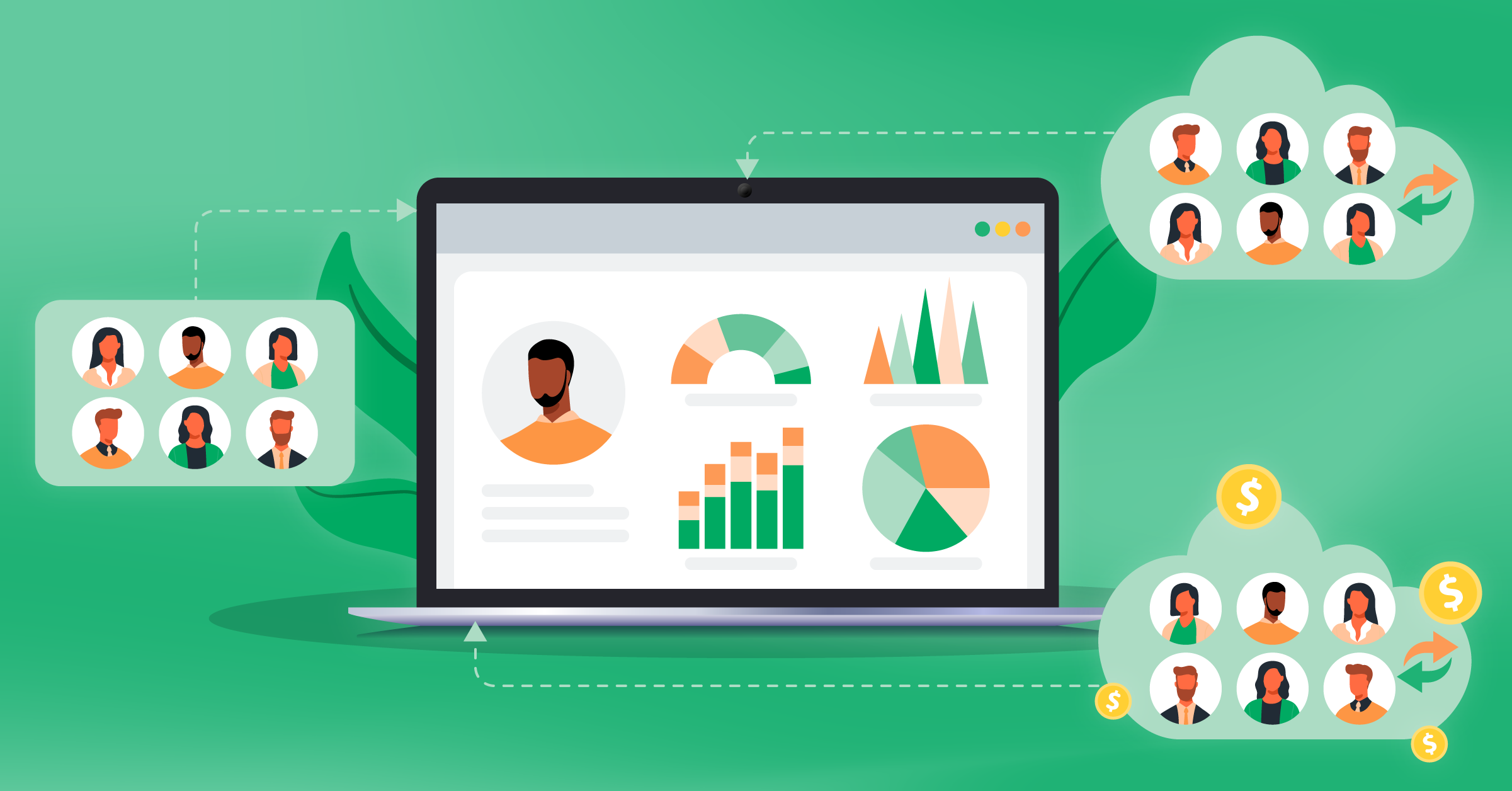
When you have more data about individual customers, you can understand their needs, pain points, and motivations much more effectively, while also seeing where they are in the digital sales funnel.
What about cookieless tracking?
Third-party cookies are still around in Chrome, but they’re less reliable than they used to be. Safari and Firefox already block them by default. And even in Chrome, more users are opting out. That makes server-side tracking more important than ever.
So there’s no single date you can build your pipeline on.
What you can do is to build your measurement and optimization on first-party data and send key conversion events from your server.
That’s where Meta Conversions API (CAPI) comes in. It establishes a direct server-to-server connection to Meta, so purchases, leads, and other events can still be shared even when browser tracking is blocked.
How to shift toward Conversions API?
- Send your main events (Lead, AddToCart, Purchase) via CAPI, and run it alongside the Pixel with deduplication (same event_id).
- Pass consented identifiers (like hashed email and phone) to improve matching, and monitor Event Match Quality in Events Manager.
- Wire it to your CMP consent choices so you only send what the user allows.
How to use Facebook’s Conversions API for cookieless tracking
Facebook’s Conversions API is an exceptional workaround to the third-party cookie issue. It allows you to sync the data from your website that you’ve collected to Facebook, where they can then use the data for remarketing.
This is similar to how the pixel works in theory, except the pixel uses Facebook’s tracking on your site.
The data is being sent from your server back to Facebook, so this sidesteps the issue while still giving you plenty of reliable, actionable data to fully automate your campaigns.
Facebook’s Conversions API is free, and you can use LeadsBridge’s Facebook Conversions API integration to make setup easy and to even automate your campaigns.


FAQs
1. What is the difference between first-party and third-party data?
First-party data is collected directly from your own channels (such as your email list, CRM, site, and app). Third-party data is collected by an outside provider and then sold or shared with you.
2. How do I collect first-party data?
Use your website and app analytics (like GA4), CRM and customer support tools, email and SMS engagement, purchase history, and consented forms or surveys. Track key events (signup, lead, add-to-cart, purchase) and connect them to a user ID when possible.
3. What’s the best alternative to third-party cookies?
A strong first-party setup: GA4, server-side tracking (when it makes sense), consent management (CMP), first-party audiences (CRM lists, site visitors), and contextual targeting. Focus on building owned audiences you can reuse.
Combining contextual targeting and CRM automation is a high-performing strategy if you want to acquire and convert high-intent prospects.
4. Is first-party data GDPR compliant?
First-party data can be GDPR compliant, but it doesn’t happen automatically. You still need a lawful basis (often consent for marketing cookies), clear notices, data minimization, retention rules, and a way for users to access and delete data when required.
5. Do I still need cookies?
Usually yes. Cookies still help with logins, cart memory, analytics, and attribution. The key is using them transparently, limiting what you collect, and honoring consent choices.
6. What is zero-party data?
Zero-party data is information a customer shares with you on purpose. Think quiz answers, survey responses, preference centers, and form fills where someone tells you exactly what they want, need, or plan to do.
It’s different from first-party data because you didn’t have to observe or infer it from behavior. The customer just told you directly. That makes it some of the most accurate and consent-friendly data you can have.
Final thoughts
The question isn’t so much whether you should be using first-party data vs. third-party data, but when and how to use each.
As your business grows, there are plenty of reasons why you’ll want to have as much customer data as you possibly can.
Taking advantage of first-party data and third-party data together is often a good strategy, but don’t forget to set up cookieless tracking options like Facebook’s Conversions API so that you can keep your remarketing campaigns going strong. This is an essential part of maintaining high conversion and sales rates, and it’s easier than ever with the right tools.
Looking for new ways to utilize the data that you have to better connect to your target audience, including existing leads and potential customers alike?