Paid search marketing can be notoriously competitive and expensive. So, you can’t afford to waste clicks.
You need tightly targeted campaigns and smart, up-to-date optimization to squeeze maximum value from every euro you spend.
That’s why you need a simple Google Ads optimization checklist you can use right away.
- Google Ads optimization: What is it, and why is it important?
- 1. Conduct keyword research
- 2. Optimize your ad copy
- 3. Target the right audience
- 4. Use Google Ads extensions
- 5. Optimize your landing pages
- 6. Monitor and optimize your bids
- 7. Use automation with LeadsBridge
- How to optimize Google Ads for conversions: A step-by-step guide
- Final thoughts
In this article, you’ll see why Google Ads is important, what the main steps to improve your campaigns are, and how to use automation so you save time and budget.


Google Ads optimization: What is it, and why is it important?
Google Ads optimization means making your campaigns work harder for you.
The formula is quite simple: more conversions, less wasted spend. You want more leads or sales, while paying as little as possible for each click or action.
Done well, optimization helps you:
- Reach the right people
- Get more relevant traffic
- Increase sales
- Improve your return on ad spend
Here’s how to optimize your Google Ads step by step.
1. Conduct keyword research
Keywords are the base of your campaigns. You pay for useless clicks if you target the wrong ones,.
Go for:
- Relevant keywords: The words your ideal customers actually type when they’re ready to buy or compare.
- Negative keywords: Terms you don’t want, like “free,” “jobs,” or “reviews,” if they don’t fit your goal.
Google now lets you set account-level negative keywords, so you can block bad searches across your whole account instead of fixing them one campaign at a time.
In fact, this is one of Google Ads’ best practices. By choosing strong keywords and excluding bad ones, you:
- Cut irrelevant clicks
- Improve ad relevance
- Face less competition
- Attract more qualified traffic
2. Optimize your ad copy
Your ad text decides whether people click or scroll past.
Good ad copy should:
- Match the search intent and your keywords
- Be clear and specific
- Show the main benefit for the customer
- Use offers or promos when relevant (discounts, free trial, bonus, etc.)
A good Google ad campaign needs more. For instance, you can:
- A/B test your ads (change one element at a time: headline, description, or CTA).
- Watch your clickthrough rate (CTR) and Quality Score.
- Check what competitors say in their ads and find a sharper angle.
You want your ads to be relevant, easy to understand, and clearly better than what’s next to them.
3. Target the right audience
You don’t want “more traffic.” You want the right traffic.
Use Google’s audience tools:
- Demographic targeting: age, gender, location, etc.
- Remarketing Lists for Search Ads (RLSA): show search ads only (or more aggressively) to people who already visited your site.
With RLSA, you can:
- Bid higher on important keywords for past visitors
- Focus on users who are more likely to convert
Then, go further with LeadsBridge’s targeting-focused integrations to sync CRM segments, email lists, or customer lists with platforms like Google, Facebook, and LinkedIn.
Also, build audiences for:
- Retargeting (people who showed interest)
- Exclusions (existing customers you don’t want to keep paying to reach)
And yes, always make use of Google Customer Match to target or exclude known customers and leads based on your own first-party data.g platforms such as Facebook, LinkedIn, and Google, to retarget or exclude them at every stage of the funnel.


4. Use Google Ads extensions
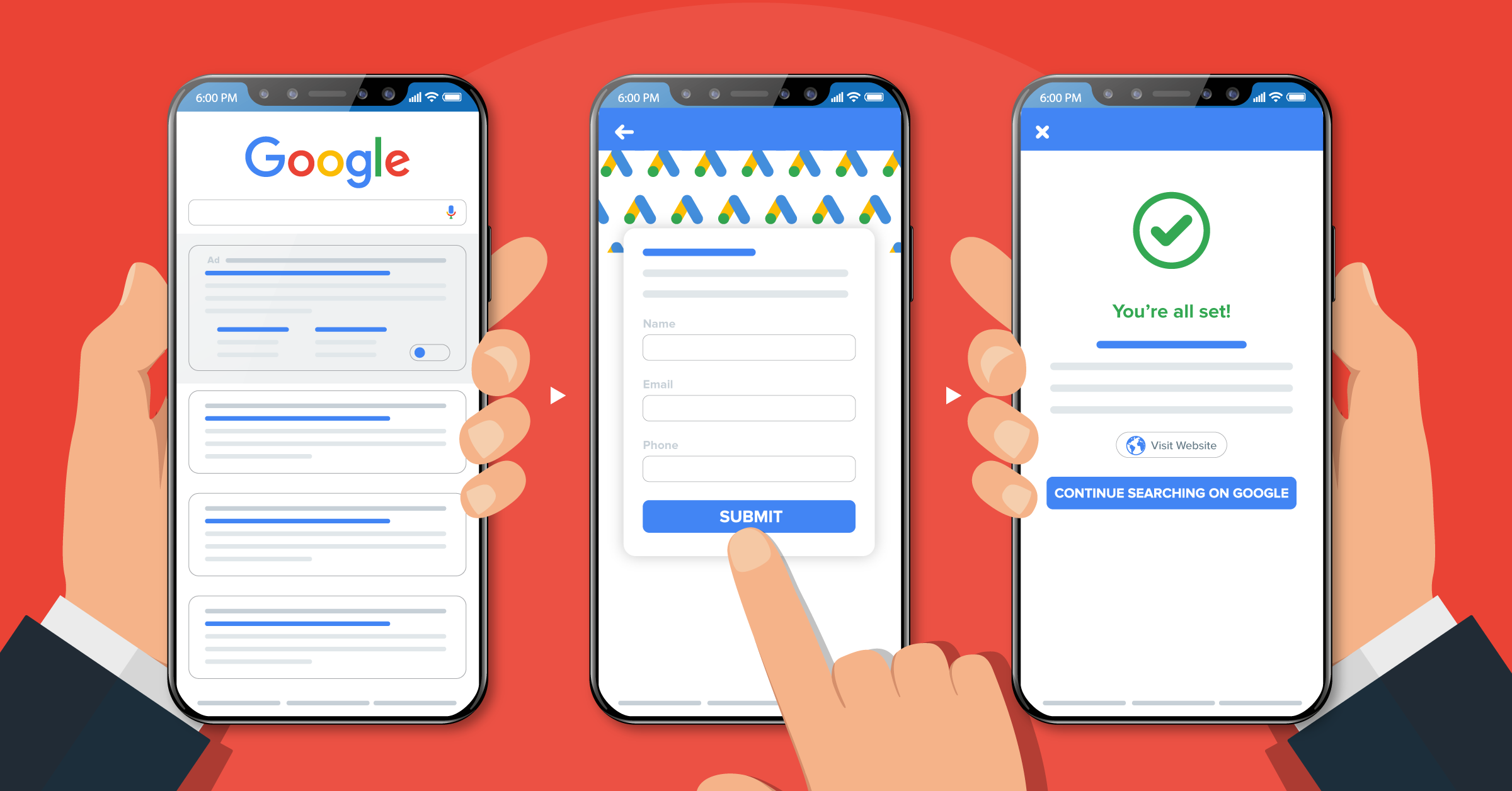
Lead form extensions give people more info and more ways to act without extra cost.
You can add:
- Extra links to key pages (sitelinks)
- Phone numbers (call extensions)
- Location info
- Product details
- Lead forms
- Your ad takes up more space in the results
- You look more trustworthy and useful
- People can call, visit, or go straight to the right page
- This usually improves CTR and conversions
Use extensions wherever they make sense to capture leads directly from the ad and send them into your tools when connected with something like LeadsBridge.


5. Optimize your landing pages
If your landing page is weak, even the best ad will fail.
Your landing page should:
- Match the promise in the ad (headline and offer lined up)
- Load fast, especially on mobile
- Keep it simple with one main goal and one main CTA
- Use straightforward copy, benefits, and proof (reviews, numbers, logos if you have them)
- Make the next step obvious (form, button, phone call, purchase, etc.)
You’re paying for every click. Don’t send people to a messy page and hope for the best.
6. Monitor and optimize your bids
Leave a campaign alone for too long and results will slide. That’s why you need monitoring and optimizing.
Things to do regularly include:
- Testing new ads and pausing underperformers
- Refreshing headlines and descriptions so the copy doesn’t go stale
- Adjusting bids and bidding strategies based on performance
You want to look for numbers that actually matter, like:
- Conversions (leads, purchases, signups)
- Cost per conversion (CPA)
- Conversion rate
- Return on ad spend (ROAS)
And then, use those to decide:
- Which keywords to keep or pause
- Where to increase or decrease bids
- Which campaigns deserve more budget
Ad tracking and analytics tools can help you see the full journey, not just the click, so your decisions are based on real business impact.
7. Use automation with LeadsBridge
Manual work only gets you so far. Automation lets you scale without losing control.
LeadsBridge helps you:
- Connect Google Ads with your CRM and other sales and marketing tools.
- Automatically send leads from Google Ads lead forms into your CRM, email platform, or other communication tools.

- Keep audiences constantly updated (new leads added, customers excluded, etc.)
Connect this with Google Customer Match and synced audiences from LeadsBridge, and you’re using your own data to show the right message to the right person at the right time.
Here’s all you need to know about the best Google Ads – CRM integrations.
How to optimize Google Ads for conversions: A step-by-step guide
Clicks are great, but conversions bring in revenue.
Here’s how to optimize your Google Ad campaigns so more people actually sign up, book, or buy.
Step 1: Set up clean conversion tracking.
Start by deciding what counts as a conversion for your business:
- Form submissions
- Phone calls
- Purchases
- Demo requests, trial signups, etc.
Then, track each of these as separate conversion actions. Give them a value that reflects their real impact (a sale is worth more than a newsletter signup).
Check that every conversion fires correctly on the thank-you page or event (no double counting, no missing events).
Step 2: Use conversion-focused bidding.
Once your tracking is stable enough, let Google optimize around the data you send back to it.
For example, maximizing conversions or achieving a certain target ROAS. Give each bidding strategy enough time and budget to learn before you judge it.
Step 3: Simplify the path to conversion
Look at the full journey from ad click to confirmation page and remove friction:
- Shorten forms to the minimum fields you truly need.
- Make buttons clear and visible on mobile.
- Remove distractions from the page that pull people away from the main action.
- Check that the process works smoothly on slow connections and smaller screens.
Step 4: Optimize for lead quality, not just lead volume
More conversions are useless if those users are not a good fit for your advertising funnel.
To focus on quality:
- Mark good vs. bad leads in your CRM.
- Use that data to adjust which keywords, ads, and campaigns you keep pushing.
- Exclude sources and terms that mostly bring low-intent or spam leads.
With a platform like LeadsBridge, you can push lead data straight from your forms into your CRM. Then use that feedback to refine which traffic you want more of and which you want less of.

Step 5: Segment your results
Don’t look at conversions only at the campaign level. Break them down:
- By device (desktop vs. mobile)
- By location
- By time of day or day of week
- By new vs. returning users
Once you have that set up, lower your bids or exclude segments that convert poorly. Or, increase bids where conversion rate and value are strong.
Small adjustments usually bring more gain than one big change.
Step 6: Test keywords, offers, and messages
A lot of conversion lift comes from what you offer and how you present it:
- Try different lead magnets (demo, free trial, audit, consultation, calculator, etc.).
- Test different CTAs (“Book a demo” vs. “See it in action,” for example).
- Experiment with different guarantees, pricing presentations, or packages.
The goal is to find the combination of offer-message-page that makes it easy for the right person to say “yes”.
Step 7: Close the loop with your data
To actually optimize for conversions, your ad account and your customer data need to be connected.
Send new leads and customers from Google Ads into your CRM automatically. This helps track that campaigns bring in bottom-funnel conversions.
Again, feed this information back into Google so it can use bidding and audiences to prioritize higher-value users.
This is where automation platforms like LeadsBridge are handy. They keep data flowing both ways.
When you treat conversions as the main target and build everything, Google Ads moves from “traffic generation” to becoming a predictable source of customers.
Final thoughts
Running Google Ads well takes real work, from keyword research to bid optimization. With tools built specifically for Google Ads, LeadsBridge connects your ads to your CRM and makes sure valuable data doesn’t slip through the cracks.
When it comes to optimizing your campaigns, there’s nothing like creating a robust system that can be used as a foundation for both your running campaigns and future lead data management.
And automation makes that possible.
So what are you waiting for?
Discover the power of automation and get the most out of your Google Ads campaigns with LeadsBridge.