
TL;DR
- HubSpot is easier to get running and a solid fit if your marketing and sales teams want one shared platform without a long implementation process.
- Marketo (now Adobe Marketo Engage) is built for large-scale, complex B2B automation, especially for teams already inside the Adobe or Salesforce ecosystem.
- Both platforms have pushed hard into AI, but they solve different problems.
- If you’re already juggling ad platforms and lead sources, tools like LeadsBridge can connect either platform to your ad accounts so leads sync automatically instead of getting entered by hand.
Let’s say your marketing team finally has both platforms on the shortlist. But instead of it being an easy decision, it turns into weeks of back-and-forth.
That’s usually when marketing and sales leaders start weighing HubSpot against Marketo more seriously, whether they’ve outgrown a simpler CRM or are evaluating enterprise marketing automation for the first time.
HubSpot’s demo team is fast, and the pricing page is public. Marketo’s team wants to talk database size, contract length, and Salesforce integration before anyone mentions a number.
This guide breaks down how HubSpot and Marketo compare on CRM capabilities, automation, AI features, and pricing, so you can pick the one that fits your budget and your growth plans.
- TL;DR
- What is HubSpot?
- What is Marketo?
- HubSpot vs. Marketo at a glance
- HubSpot vs. Marketo: CRM
- HubSpot vs. Marketo: Automation
- HubSpot vs. Marketo: AI features
- HubSpot vs. Marketo: Cost
- HubSpot vs. Marketo: which one fits your team
- How automation can improve your CRM and marketing workflows
- FAQs
- Final thoughts
Along the way, we’ll also cover marketing automation integrations for each tool so you can keep your data flowing automatically into your marketing funnel.


What is HubSpot?
HubSpot launched in 2006 as an inbound marketing tool and has since grown into a full customer platform covering marketing, sales, service, content, and commerce, all built on one shared CRM.

It’s known for its clean interface, published pricing, and a genuinely useful free CRM that’s popular with small teams and growing businesses alike.
Beyond marketing, it offers sales pipelines, customer service tools, and an AI suite called Breeze, built directly into the CRM. You might also want to compare HubSpot alternatives.
LeadsBridge offers HubSpot-to-Facebook integrations that transfer contacts based on your HubSpot lists, deal-stage history, etc.


What is Marketo?
Marketo launched in 2006, the same year as HubSpot, and was built around large-scale, complex B2B marketing automation. Think multi-channel nurture programs across email, web, events, and paid, tied together with detailed lead and account scoring.

It’s a favorite among enterprise marketing operations teams already running on Salesforce or Adobe Experience Cloud that need a marketing engine that can handle millions of contacts.
Adobe acquired Marketo for $4.75 billion in 2018 and folded it into Experience Cloud, and it has been a Gartner Magic Quadrant Leader for B2B Marketing Automation Platforms in both 2024 and 2025.
Marketo doesn’t include a built-in CRM the way HubSpot does. It’s designed to sit on top of an existing one and orchestrate campaigns using that data. Adobe ships native integrations for Salesforce, Microsoft Dynamics, and Veeva on every tier, though Salesforce is by far the most common pairing.
However, for optimal use, you need to turn your Merketo into an automated data system so that your paid lead generation strategy works well.
HubSpot vs. Marketo at a glance
| HubSpot | Marketo (Adobe Marketo Engage) | |
| Best for | Unified marketing, sales, and service on one platform | Complex, high-volume B2B automation for enterprise teams |
| Ease of use | Easier to learn, productive within days | More powerful, but a steeper learning curve |
| Built-in CRM | Free Smart CRM included with every plan | No native CRM; native integrations for Salesforce, Dynamics, and Veeva |
| Automation | Workflow automation from Professional and up | Deep, branching Smart Campaigns; ABM and predictive features sit on higher tiers |
| AI tools | Breeze AI for content, agents, and predictive scoring (Enterprise) | Agentic AI workflows, Journey Agent, and an in-product AI Assistant |
| Starting price | Free plan available; paid plans from $20/seat/month | Free plan available; Starter from $20/seat/month billed monthly, less on annual |
| Top plan price | $3,600/month (10,000 marketing contacts), plus onboarding fees | Quote-only; third-party estimates run roughly $900 to $3,200 a month by tier, more with add-ons |
HubSpot vs. Marketo: CRM
This is the clearest difference between the two platforms.
HubSpot ships with a free Smart CRM baked into every plan. Contacts, deals, companies, and every marketing touchpoint live in the same system your sales and service teams use, so there’s no syncing needed between “the marketing tool” and “the CRM.”
Marketo doesn’t have a native CRM. It’s designed to sit on top of one, syncing leads, campaign activity, and scores back and forth. Salesforce is the usual choice, though Dynamics and Veeva are natively supported too.
That gives you Salesforce’s full sales functionality, but your marketing data now lives in two systems that need to stay in sync.
For teams that want marketing and sales working off one shared database from day one, HubSpot’s built-in CRM is the simpler path. For teams already committed to Salesforce, Marketo’s tight CRM integration is the point.
HubSpot vs. Marketo: Automation
Both platforms cover the basics well:
● Multi-step email workflows
● Behavior-based triggers
● Lead scoring
HubSpot’s workflow builder is intuitive and visual, and it’s genuinely easy to set up branching logic based on what a contact does, whether they click a link, visit a page, or go quiet for 30 days. The catch: full workflow automation is locked behind the Professional tier and up.
Marketo’s Smart Campaigns are built for scale. Its segmentation engine handles very large, complex databases with nested filter logic without slowing down.
And its scoring model supports multiple score types running in parallel (engagement, fit, behavior, and product interest), tied to CRM data and custom objects.
So if your automation needs are straightforward multi-step nurtures, HubSpot gets you there faster. If you’re running account-based marketing with buying committees, Marketo is built for that level of complexity.
That depth isn’t uniform across tiers, though. The entry-level Growth package caps at 10 users and 20,000 API calls a day, and account-based marketing, predictive features, and Marketo Measure attribution all sit further up the ladder.
HubSpot vs. Marketo: AI features
Both companies have leaned hard into AI over the past year or so, but the tools solve different problems.
HubSpot’s AI suite, Breeze, is embedded throughout the platform rather than added as a separate layer. It covers a chat-based copilot for drafting emails and building workflows, an AI content writer for blog posts and landing pages, and agents that can research leads or handle inbound support conversations on their own. Predictive lead scoring is available on Marketing Hub Enterprise.

Marketo’s AI runs through Adobe’s broader AI ecosystem, Adobe Sensei, which focuses more narrowly on predictive content selection, dynamic personalization at scale, and account scoring.
Inside Marketo Engage itself, native AI features lean toward send-time optimization and content recommendations, with deeper capabilities showing up once you’re also using Adobe Experience Cloud, Analytics, or Target.

For teams focused on content production and everyday marketing execution, HubSpot’s AI toolset is more immediately usable. For enterprise teams already inside the Adobe ecosystem, Marketo’s agentic tooling and deeper Experience Cloud connections are the stronger fit.
HubSpot vs. Marketo: Cost
Pricing is where the two platforms diverge the most, and it’s not just about the number on the page.
HubSpot publishes its pricing. There’s a free plan, and paid tiers run:
- Starter: from $20/seat/month on monthly billing, noticeably cheaper on an annual commitment
- Marketing Hub Professional: $890/month annual, including 3 seats and 2,000 marketing contacts
- Marketing Hub Enterprise: $3,600/month annual, including 5 seats and 10,000 marketing contacts
Two things the sticker price hides. Contacts scale the bill: on Professional, each additional 5,000 marketing contacts adds roughly $250/month. And Professional and Enterprise both require a one-time onboarding fee, about $3,000 and $7,000 respectively, charged at the start of the first annual term. HubSpot presents these as standard, though larger contracts do get negotiated in practice.
You can see the full breakdown on HubSpot’s pricing page.
Marketo doesn’t publish pricing at all. Every package (Growth, Select, Prime, and Ultimate) is quoted individually based on your database size and the features you need.
Third-party estimates put the tiers somewhere around $895/month for Growth up to roughly $3,195/month for Ultimate, but treat those as orientation only. Adobe prices to your specifics, so two companies on the same package can pay very different amounts.
Adobe’s own pricing and packaging page outlines the four tiers, though you won’t find a dollar figure on it.
HubSpot vs. Marketo: which one fits your team
For most growth-stage teams, the right answer depends on what you’re actually trying to solve.
| Choose HubSpot if… | Choose Marketo if… | |
| Your main goal | Unifying marketing, sales, and service on shared data | Running complex, high-volume B2B automation |
| Your team | Wants to be productive within days, minimal MOps overhead | Has a dedicated marketing operations function |
| Your tech stack | Building your core CRM and marketing stack from scratch | Already running Salesforce or Adobe Experience Cloud |
| Your budget | Wants transparent, published pricing to start | Has budget for a quote-based enterprise contract |
| Your database size | Contact list in the thousands to low tens of thousands | Contact list from tens of thousands upward; the entry Growth tier suits under roughly 100K records, higher tiers scale into the millions |
If you want one shared system and pricing you can see before talking to anyone, start with HubSpot. If you’re already running enterprise-scale campaigns on Salesforce and need scoring that can handle massive databases, Marketo is worth the sales conversation.
How automation can improve your CRM and marketing workflows
Whichever platform you pick, it’s only as good as the leads feeding into it.
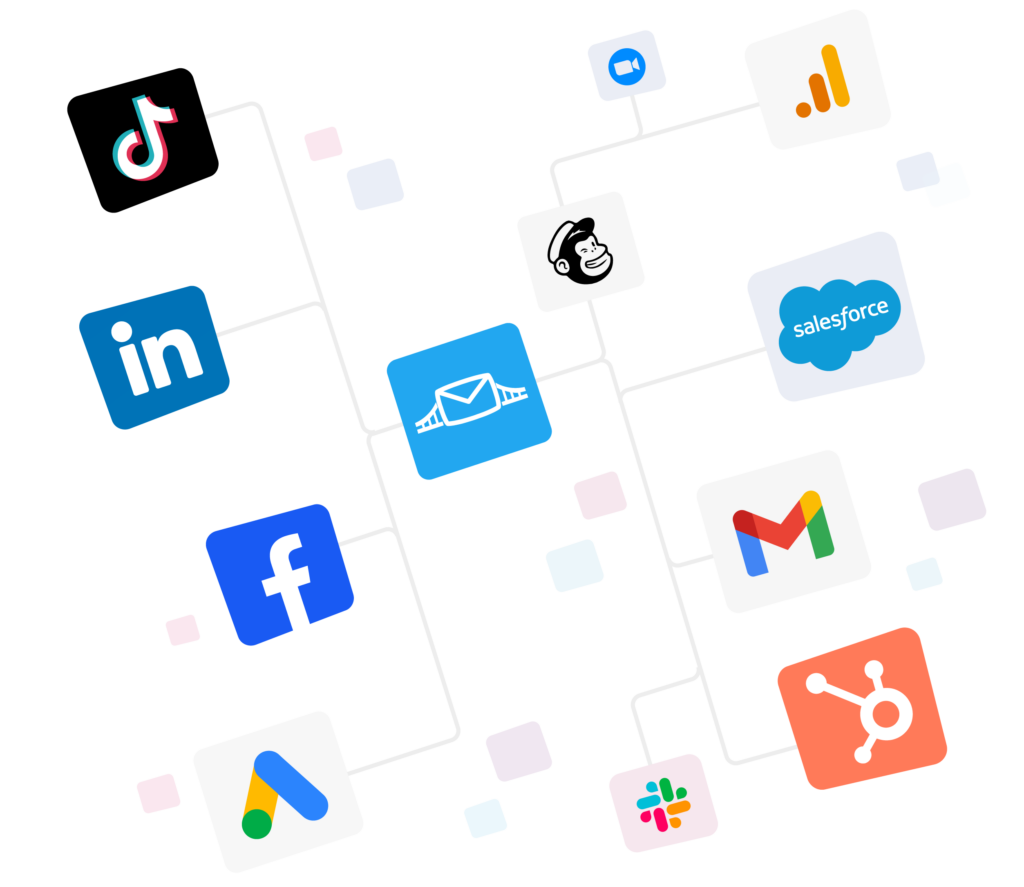
If you’re running ads on Meta, Google, LinkedIn, or TikTok, manually exporting and uploading leads into HubSpot or Marketo wastes time and creates gaps where leads fall through the cracks.
Someone has to remember to pull the export, clean it up, and upload it, and every day that takes is lost response time on leads who were ready to hear from you right away.
What automated syncing gets you:
- No manual exports. Ad leads sync into your platform automatically, no spreadsheet uploads.
- Leads arrive fresh. New leads get added the moment they convert, while their interest is still hot.
- Instant nurture. Leads drop straight into a welcome sequence with no extra setup.

- Fewer errors. Fewer duplicates, fewer missed leads, and less lag between a click and a follow-up.
- Conversion tracking data management. Your conversion and audience data can be sent back to the advertising platform so you can optimize your campaign for better targeting.


LeadsBridge’s HubSpot integration and Marketo integration sync new leads from your ad accounts into whichever platform you choose, in real time.
A lead who fills out a Meta lead ad form lands in your CRM immediately, tagged and segmented the same way every time.
Why automation matters even more with AI
AI features like HubSpot’s Breeze or Marketo’s Adobe Sensei are only as smart as the data behind them.
Leads that arrive late, duplicated, or missing fields because of manual uploads mean your automation and AI campaigns start off working with bad information. Automatic syncing keeps that data clean and current, so what you build on top of it actually performs the way it’s supposed to.
For more on connecting the dots, check out what HubSpot integrates with and how HubSpot connects with Facebook Ads.
FAQs
What is the main difference between HubSpot and Marketo?
HubSpot is built around a unified marketing, sales, and service platform with a free CRM and an easier learning curve. Marketo is built for large-scale B2B automation and typically sits on top of an existing CRM like Salesforce, with quote-based pricing that scales with database size.
Learn more about how marketing automation works for small businesses.
Which platform is better for small businesses?
It depends on what the business needs. A small or mid-sized team that wants marketing, sales, and service in one place will likely find HubSpot cheaper and simpler to run. A business already on Salesforce with a dedicated marketing operations team will get more value from Marketo, even at the higher cost.
Final thoughts
Whichever you choose between HubSpot and Marketo, don’t let your ad leads sit in a spreadsheet.
Revenue comes from following up on leads fast, not from more features. Your tools should support your workflow, sure, but bad data management is where most people actually lose opportunities. Before you worry about features, set up automated data management first.
Discover LeadsBridge integrations for HubSpot and Marketo to sync leads from your ad platforms automatically.