TL;DR
- Google Ads is built on three levels: accounts, campaigns, and ad groups.
- To get the best results, your structure needs to match your business goals.
- Keep your campaigns simple, use Smart Bidding, write strong ads, and always track your conversions.
- The platform is more AI-driven than ever in 2026, so your job is less about micromanaging bids and more about giving the system good data to work with.
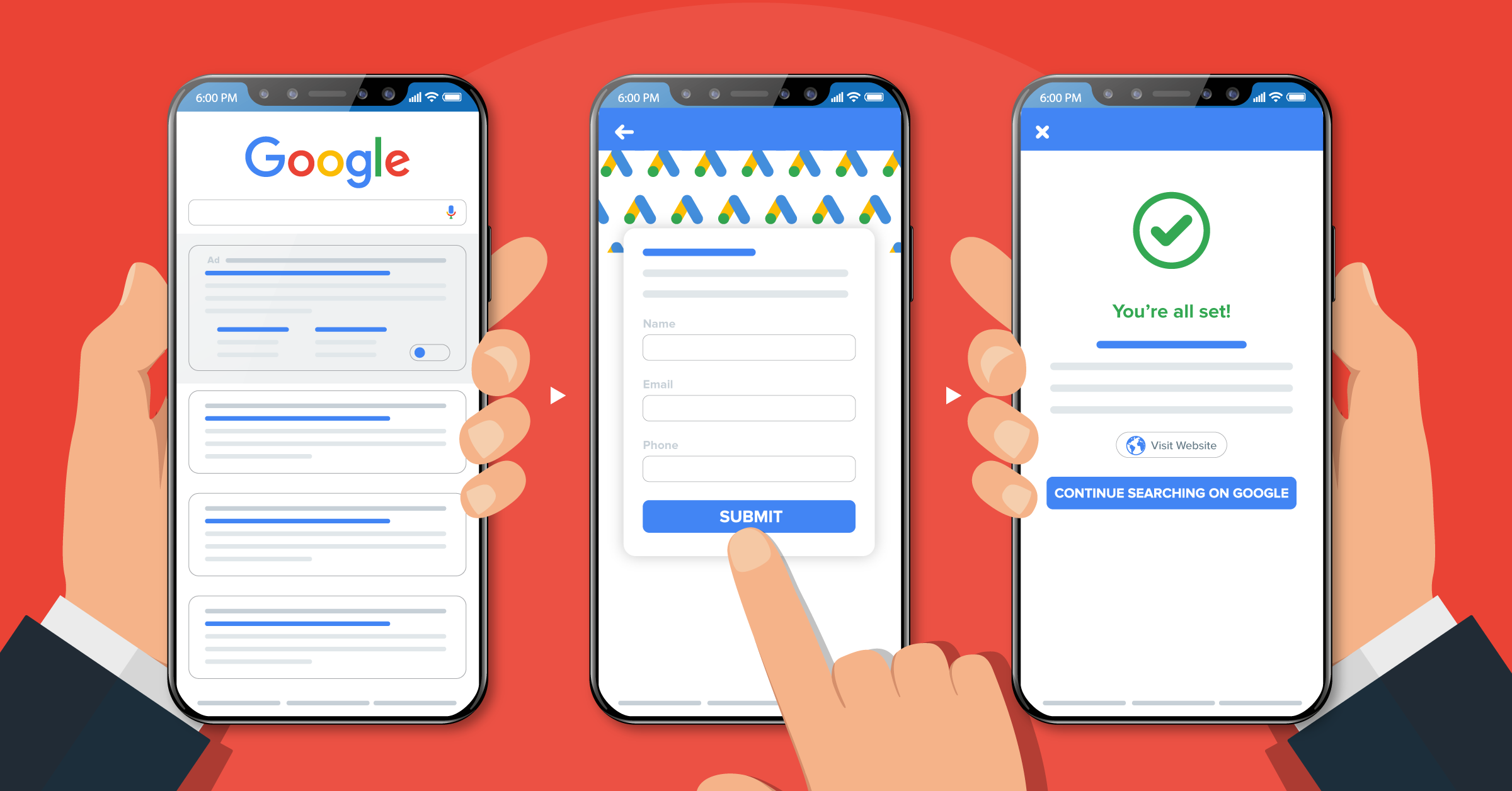
- Automating your lead data also helps Google’s AI learn faster, since the system gets cleaner and more complete signals to work with.
When it comes to pay-per-click (PPC) advertising with Google Ads, many factors determine the success of your campaigns. One of them is your Google Ads campaign structure.
A well-designed structure ensures your ad shows up in front of the right audience at the right time.
This leads to a better Quality Score, better results, and better prices.
When you carefully organize campaigns, ad groups, ads, keywords, and targeting methods, you can unlock the true potential of your campaign efforts.
This article discusses how to build a solid foundation for Google Ads campaign success, and how to automate your data management using integrations such as:


Why is a good Google Ads campaign structure important?
Google Ads is essentially organized into three layers, which are accounts, campaigns, and ad groups.
Then, each ad group contains a set of similar keywords and ads.
Let’s look at these elements in more detail.
- Account: This is the first level of your Google Ads campaign structure and includes all the information about your business and PPC ads. It includes your account name, time zone, billing information, language, etc.
- Campaigns: A campaign is a container for ad groups and ads, usually tied to a specific goal or budget. You can run many different campaigns on Google Ads, including Search, Shopping, Video, App, Performance Max, and Demand Gen campaigns.
- Ad groups: An ad group is a set of ads with similar goals.
- Keywords: Keywords help Google display your ads in the search engine results pages (SERPs).
- Ads: Your ad is the final product of your campaign. Your customers will see it when they type in a specific search query.
To better understand the Google Ads account structure, let’s look at this ad example by Uber Eats.

At the campaign level, it’s one brand-awareness campaign: “Tonight I’ll be eating” around football and cultural moments.
How you organize your campaigns will help Google better understand the themes in your account, so it shows them to the right audience. The more relevant your ads are to searchers, the higher their chance of clicking through.
Being a good fit also affects your Quality Score, which depends on your expected click-through rate, ad relevance, and landing page experience.
A higher Quality Score means you’re paying less for the keywords your competitors’ ads also compete for.

Types of Google Ad campaigns
Google Ads gives you a set of core campaign types, each with its own formats, placements, and strengths.
If you understand what each one is actually built to do, you can design a structure that fits your goals, whether that is leads, sales, store visits, or awareness, instead of cramming everything into one generic campaign.
Here is a quick look at the main types you will use in most accounts today:
| Campaign Type | Best For | Where Ads Appear |
| Search | Capturing existing demand from people actively searching | Google Search results |
| Shopping | Ecommerce product listings with image, price, and merchant info | Google Search and Shopping tab |
| Video | Brand awareness and engagement through video | YouTube and video partner sites |
| App | Driving app installs and in-app actions | Google Search, Play, YouTube, Display |
| Performance Max | Goal-based, AI-driven reach across all Google channels | All Google channels |
| Demand Gen | Visual, feed-style ads to reach new audiences before they search | YouTube, Shorts, Gmail, Discover, Maps, Google Display Network |
Here is a look at each type:
- Search campaigns
Search campaigns are text-based ads that show up in Google search results when someone types in a keyword you are targeting.
This remains the foundation for most Google Ads accounts and the best place to start if people are already searching for what you sell.
- Shopping campaigns
Shopping campaigns show product listings with an image, price, and your store name directly in search results. They are the go-to option for ecommerce businesses that want to reach people who are ready to buy.
- Video campaigns
Video campaigns let you run ads on YouTube and video partner sites. They work well for brand awareness and for reaching people earlier in the buying process, before they have started comparing options.
- App campaigns
App campaigns are now fully automated. You provide your app details and some creative assets, and voila! Google figures out the best placements across Search, Play, YouTube, and Display on its own.
- Performance Max
Performance Max is Google’s AI-driven campaign type. You set a goal and a budget, provide creative assets and audience signals, and Google handles the rest across all its channels.
It works best when you have solid conversion tracking in place and enough monthly conversions for the system to learn from.
- Demand Gen
Demand Gen is the campaign type for visual, engagement-driven advertising across Google’s own properties. If you have been running Google Ads for a while, you may know this placement from Discovery Ads, which Demand Gen fully replaced in March 2024.
It also absorbed Video Action Campaigns in July 2025, making it the single home for all visual advertising outside of YouTube-specific video buys.
Your ads can show up on YouTube as well as:
- Shorts
- Gmail
- Google Discovery
- Maps
- Google Display Network
The key difference from Search is that Demand Gen is built to reach people before they start searching for your product. This feature makes it a strong complement to your Search and Performance Max campaigns.
New updates on Display campaigns in 2026
If you are currently running standalone Display campaigns, Google started rolling out a migration tool in June 2026 to move those campaigns into Demand Gen.

At some point, creating new standalone Display campaigns will no longer be an option. If you are setting up a new account or starting a new visual campaign today, go straight to Demand Gen rather than Display.
How to structure Google Ads campaigns
Here’s an overview of how to create your Google Ads account and set up your first ad campaign, with a focus on Search campaigns.
1. Set up your account the right way
- Sign in to Google Ads and create your account.
- Choose your time zone and currency carefully. You basically can’t change these later.
- Add your billing info so your ads can actually run.
- Turn on auto-tagging in the account settings. This helps track your clicks and results in tools like Google Analytics.
- Install the Google tag on your website and set up conversion tracking (for things like leads, purchases, or sign-ups).
- Connect Google Ads to Google Analytics 4 (GA4) if you use it.
Smart bidding needs real conversion data to work, so don’t skip conversion tracking.
You should also set up Consent Mode and Enhanced Conversions if you have not done so yet. With data privacy rules tightening globally and third-party cookies becoming less reliable, these tools are quickly becoming essential for accurate measurement.
2. Plan a simple campaign structure
Don’t start with keywords. Start with your primary business goals, like getting online sales or more local visits.
Then build as few campaigns as you reasonably can. Only split into separate campaigns when it really matters, for example:
- Different goals (sales vs leads vs brand awareness)
- Different countries or languages
- Very different product lines
Avoid making separate campaigns just for device (mobile vs desktop) or match type (broad vs exact). That’s very old-school and could hurt your ad performance currently.
When you create each campaign:
- Choose Search (or the updated search campaign type in your account).
- Pick a Smart Bidding strategy, like Maximize conversions or Maximize conversion value (You can add a target CPA or ROAS later once you have some data.)
- Set your daily budget at the campaign level.
- Choose your targeted locations and languages.
- Add any audience segments (remarketing lists, in-market audiences, etc.) to help the system learn faster.
3. Create focused ad groups
Inside each campaign, you’ll have ad groups. Each ad group should be about one main theme, for example:
- One product
- One service
- One very specific intent (like “emergency plumber” vs “bathroom remodel”)
Keep it simple and create fewer, stronger ad groups with enough traffic so Google’s AI can learn.
4. Choose your keywords (without going crazy)
Keywords tell Google what kind of searches you want.
For each ad group:
- Start with 5 to 15 related keywords that match the same intent.
- Use broad match as your default if you’re using Smart Bidding. Broad match lets Google show your ads on more relevant searches, not just the exact wording.
- Use phrase or exact match when you need very tight control (e.g., for brand keywords or legal terms).
Also, use negative keywords to block bad searches (for example, “free”, “jobs”, or unrelated topics).
Then, check your search terms report regularly to add both good search terms as new keywords and bad ones as negative keywords.
5. Write strong ads and pick the right landing page
For Search, use Responsive Search Ads (RSAs). In each ad group, create at least one strong RSA:
- Add 8–10 different headlines (you can go up to 15).
- Add up to 4 different descriptions.
- Make each line meaningfully different, not tiny rewrites.
Make sure to include what you offer, why you’re better (benefits, proof, guarantees, reviews), and a clear call-to-action. To speed up this process and test more variations efficiently, many advertisers use an ad creative generator to quickly produce multiple headline and description combinations tailored to each ad group.
Google will mix and match your headlines and descriptions and try to find the best combos.
Also, choose a landing page that actually matches the ad group’s topic. If the ad is about “running shoes,” don’t send people to your generic homepage.
Your ad assets (extensions) at the campaign or account level are:
- Sitelinks (extra links to key pages)
- Callouts (short selling points)
- Structured snippets (lists like “Brands: …”)
- Image, call, and location assets if they make sense
Calls used to be among ad assets. However, call ads (call-only ads) have been somewhat discontinued as of February 2026. New call-only ad creation was removed, and existing ones will stop receiving impressions in February 2027. Also, for what remains, calls should now be handled through call assets within Responsive Search Ads.
6. Launch and improve your Google Ad structure over time
Once your campaigns go live, give the system some time and data to learn. And that’s how Smart Bidding works.
What you need to watch for is:
- Conversions and cost per conversion
- Conversion value and ROAS (for ecommerce)
- Search terms quality
Always pause or merge weak ad groups with almost no traffic. And merge small campaigns if they have the same goal, locations, and similar keywords.
Test new headlines, descriptions, and landing pages, but don’t rebuild the whole structure every week.
Modern Google Ads is less about micromanaging every bid and more about:
- Clear goals
- Simple structure
- Good conversion data
Strong, relevant ads and landing pages
If you get those pieces right, you’re building for where the platform is going, not where it used to be.
Top Google Ads campaign structure best practices
Follow these Google Ads campaign structure best practices to optimize your PPC success.
1. Optimize each component of your Google Ads campaign structure
Follow these tips to ensure each component of your campaign structure is well-optimized.
Account
Use “Expert Mode” to get more advanced settings for choosing your target audience, managing your budget, and bidding.
Campaign
Choose your campaign type (e.g., search, performance max, shopping, video, demand gen, etc.). Optimize your campaigns based on your target audience’s location.
Ad groups
Choose a specific theme for each ad group and create relevant ads around that theme. Create multiple ad groups within each campaign. Then, create a few ads for each ad group.
Keywords
Using a keyword research tool like Google Keyword Planner, choose the right keywords based on your industry or product/service.
For example, when creating an ad for a travel tour agency specializing in Normandy beach tours, they should focus on keywords such as “World War II tours” and “D-Day tours” to precisely target their audience interested in historical tours of Normandy.

In 2026, if you are using Smart Bidding, Google recommends starting with broad match as your default. Broad match gives the AI more signals to find relevant searches and not just exact wording.
Use phrase or exact match when you need tight control, for example, on brand terms or sensitive categories. A list of 5 to 15 keywords per ad group is still a good rule of thumb.
Ads
Include at least one keyword from the ad group in the headline of your ad. Make sure to use a clear CTA and a relevant landing page.
2. Make sure your campaign structure supports your goals
Your goals will influence the structure of your Google Ads campaign. So, consider having separate campaigns based on each advertising goal.
You can also organize your ad campaigns based on sales funnel stages, conversion action types, product/service types, or geographic targets.
If you want to overcome language barriers, you can consider language targeting and translate your Google Ads.
3. Give some thoughts to your campaign names
Name your campaigns and ad groups so that everyone on your team can immediately understand their goal and purpose.
Try to be as specific as possible by including segmentation details in the name.
4. Create a separate search campaign for brand keywords
It’s important to create separate campaigns for brand keywords and non-brand keywords.
Brand campaigns will perform differently from non-brand campaigns. So, you should have a separate budget and management strategy for each campaign.
Also, add your brand keywords as negative keywords in your non-brand campaigns. This will exclude brand traffic in your non-brand campaigns
5. Support your ads with relevant landing pages
Make sure your landing page keeps up with your ad’s promises. Your advertising strategy is the first step to attracting your audience, your ad copy second, and your landing page third. Here’s a complete guide to lead generation best practices.
As a popular data integration service provider, LeadsBridge appears in top ad positions and organic results for terms like ‘leads data integrations’.

Besides, LeadsBridge is an official Google Premier partner, which says a lot when it comes to Google-backed authenticity.
6. Test different campaign structures
Done setting up your campaign structure? You still need to go through your Google Ads checklist. Then, test things out to see which structures work best.
This A/B testing and analysis approach helps identify the most effective strategies for reaching your target audience and improving overall campaign performance
Bonus best practice: Use an integration platform
An integration platform can make your advertising and marketing experience seamless and headache-free.
LeadsBridge offers Google Ads integrations to help you streamline your advertising efforts and maximize ROI.
Our Google Ads lead form extensions integration allows you to:
- Sync your leads in real-time with your CRM.
- Send new leads to other marketing platforms, such as autoresponders, as they come in. This avoids the effort of manually downloading lead lists from Google Ads and the risk of errors during the process.
- Follow up with your leads immediately, making them more likely to convert


You can retarget your CRM segmented lists on Google Ads with Google Customer Match integration. Doing this allows you to:
- Use your CRM’s first-party data to retarget your audiences on Google, increasing the likelihood of conversions from your existing customers through upselling and cross-selling.
- Build lookalike audiences from your CRM segments, so you can reach groups of potential customers with similar traits and interests to your most valuable customers.
- Consistently update your Google audiences, as new, incoming contacts are automatically added to the audience. If a contact decides to opt out of your list, LeadsBridge will automatically remove it from the custom audience.


FAQ
Yes, you can duplicate Google Ads campaigns. All you have to do is to sign in to your Google Ads account and navigate to the “Campaigns” section.
Find the campaign you wish to duplicate and check the box next to it. Then, click on the “Edit” drop-down menu and choose “Copy” (or use the shortcut Ctrl+C for Windows or Command+C for Mac).
Then, deselect the campaign and click on the “Edit” menu again, followed by selecting “Paste” (or use Ctrl+V for Windows or Command+V for Mac). These simple steps will create a duplicate of your selected campaign.
Find out the best Google Ads – CRM integrations here.
There is no set-in-stone rule for the number of Google ad campaigns you can have. The ideal number of Google ad campaigns depends on various factors:
Your business goals
Your budget
The diversity of the products or services you offer, among others.
It’s important to structure your campaigns to align with your specific objectives and target audiences. For instance, if you have a specific product line or provide niche services, it’s best to create a separate campaign for each. This practice can help in better targeting and budget allocation.
Keep in mind that managing too many campaigns with a limited budget can weaken the results. So, balancing the number of campaigns with your available resources is the key to ensuring the best possible use of your time and marketing dollars.
Learn more about Google Ads costs here.
In 2026, the main Google Ads campaign types are Search, Shopping, Video, App, Performance Max, and Demand Gen.
Search shows text ads to people actively searching on Google.
Shopping displays product listings for ecommerce businesses.
Video runs ads on YouTube. App campaigns are automated and built to drive installs and in-app actions.
Performance Max is AI-driven and runs across all Google channels from a single budget.
Demand Gen runs visual ads across YouTube, Shorts, Gmail, Discover, Maps, and the Google Display Network, and is built to reach new audiences before they start searching.
Note that standalone Display campaigns are being phased out as of mid-2026 and migrated into Demand Gen.
The right campaign type depends on your goal. If people are already searching for what you sell, start with Search. For e-commerce, Shopping and Performance Max are your strongest options.
For brand awareness or reaching new audiences, use Demand Gen. For apps, App campaigns handle most of the heavy lifting automatically.
Most businesses end up running a combination: Search to capture demand, Performance Max or Shopping to drive conversions, and Demand Gen to bring in fresh audiences.
Whatever you run, make sure conversion tracking is set up properly. Google’s AI needs real data to perform well.
There is no fixed price. You set your own budget and only pay when someone clicks. The average cost per click across all industries in 2026 is around $5.42, but it varies widely.
Legal and financial services can run above $8 per click, while travel and entertainment often come in under $3. Most small and medium businesses spend between $1,000 and $10,000 per month.
If you are just starting out, $20 to $50 per day is a reasonable place to test. The number to watch is not your cost per click but your cost per lead or cost per sale. A higher click cost can be worth it if those clicks are actually converting.
Key takeaways
The best Google Ads campaign structure aligns with your business goals.
However, like many elements of a paid search strategy, the best campaign structure will vary. That’s why it’s a good idea to review it constantly to see what works and what doesn’t.
Following these Google Ads campaign structure best practices, you can optimize your campaigns before setting them up.
That way, you won’t have to worry about overhauls and can make small changes over time.
Looking to optimize your campaign performance? Discover LeadsBridge integrations for Google Ads today.