TL;DR
- Facebook lead management means capturing leads from your ads, getting them into your CRM fast, and following up before they go cold.
- Meta deletes lead data after 90 days. If you never synced it, it is gone for good.
- Meta’s free Leads Center works for small setups, but it has no mobile access and no instant alerts.
- Speed decides most deals. Most teams still miss the five-minute window.
- Rules changed in 2026. Twenty states now have privacy laws, and text opt-out rules got stricter.
Moving leads through the customer journey looks different for every business. At its core, the process is always the same: generate leads, scale campaigns, and follow up fast.
If you’re already running Meta lead ads, you know how powerful they can be for capturing interest. But what happens to those leads after they’re captured?
Effective Facebook lead management is about syncing leads in real time, automating follow-ups, and making sure no lead gets lost in the shuffle.
This guide breaks down what Facebook lead management is, why it matters, and the best tools to help you streamline and scale your process.


What is Facebook lead management?
Facebook lead management is the process of capturing, organizing, and acting on leads from your lead ad campaigns. All this is done to turn their interest into outcomes (conversions).
To give you a better idea, here’s a graphic that outlines how lead acquisition, qualification, nurturing, and management all connect in one cycle.

The lead management part typically involves using a CRM or lead management platform to centralize lead data, qualify prospects, and automate follow-ups.
When done right, lead management helps streamline workflows, tailor marketing based on real-time data, and comply with privacy regulations.
Your leads may come from Meta’s instant forms or website traffic. Either way, a strong lead management system ensures you’re collecting data efficiently and then putting it to work.
Benefits of Facebook lead management software
If you’re already generating leads through Facebook, the next step is managing them. The right software makes all the difference in how you can achieve this.
Here are all the ways the right Facebook lead management software setup can improve your campaigns:
- Streamlined lead syncing: Automatically send lead data from Facebook to your CRM or marketing tools. No more manual downloads or delayed follow-ups.
- Faster response times: Instant lead routing means your sales team can act while interest is still high. This helps boost your chances of conversion.
- Smarter segmentation: Use software to filter and segment leads based on interests, sources, or behavior. This helps tailor messaging and prioritize high-intent prospects.
- Better campaign performance tracking: Connect your lead data with conversion tracking tools (like Meta’s Conversions API) to get accurate ROI insights as well as standard metrics.
- Centralized lead management: Keep all lead data organized, accessible, and ready for your team to act on.
- Built-in compliance: Handle consent automatically and keep a record of it. GDPR and CCPA are only the start. Now, there is a growing list of US state privacy laws that apply too, and rules around calling or texting a lead keep moving. Being able to show when and how someone opted in is the part that matters.
How to manage Facebook leads effectively
Good lead management is mostly about removing delay. Meta lead ads are not cheap anymore, so you want to get the most out of every lead you get. Also, this allows you to justify your ROI ad spend figures. To give you an idea, the average cost per click for lead gen is near $1.92, with a median cost per action around $38.
Here is what works.
- Sync every lead the moment it arrives. Manual CSV downloads add hours or days. Connect your forms to your CRM once and stop thinking about it.
- Set a response rule and write it down. Five minutes is the target. Having said that, 74% of businesses miss the five-minute response window completely. And the teams with a written response rule can hit a 15-minute reply nearly twice as often as teams without one.
- Reply in the channel they used. Someone who filled out a form on their phone may answer a text before they answer a call.
- Ask fewer questions on the form. Every extra field costs you leads. Qualify after the lead is in your CRM and not before.
- Route leads by form. Send each campaign to the right rep or email flow automatically. All you need to do is learn how to automate your email workflow.
- Send results back to Meta. Use the Conversions API to tell Meta which leads actually bought. The algorithm then looks for more people like them.
- Save consent records with the lead. You need to record the time, the form, and the wording they agreed to. This helps you to comply with TCPA regulations and other consumer protection regulations.
Top Facebook lead management tools
Here are the key tools available and how automation platforms like LeadsBridge fit the picture.
A quick look at Facebook lead management tools
| Tool | Best for | Setup effort | Real-time sync | Cost |
| Meta Leads Center | Small teams running Meta ads only | None, built-in | No | Free |
| Direct CRM integration | Teams already on HubSpot, Salesforce, or Mailchimp | Low | Yes | Included in most CRM plans |
| Google Sheets | Simple setups with no CRM | Low | Yes | Free |
| Automation bridges (LeadsBridge) | Teams using tools without native Meta support | Low, no code | Yes | Free plan, paid tiers |
| Custom API build | Large companies with developers | High | Yes | Developer time |
1. Meta Leads Center: A built-in and free CRM
Meta’s Leads Center is available through Meta Business Suite. It is essentially a lightweight CRM designed for businesses running lead ads or using instant forms.
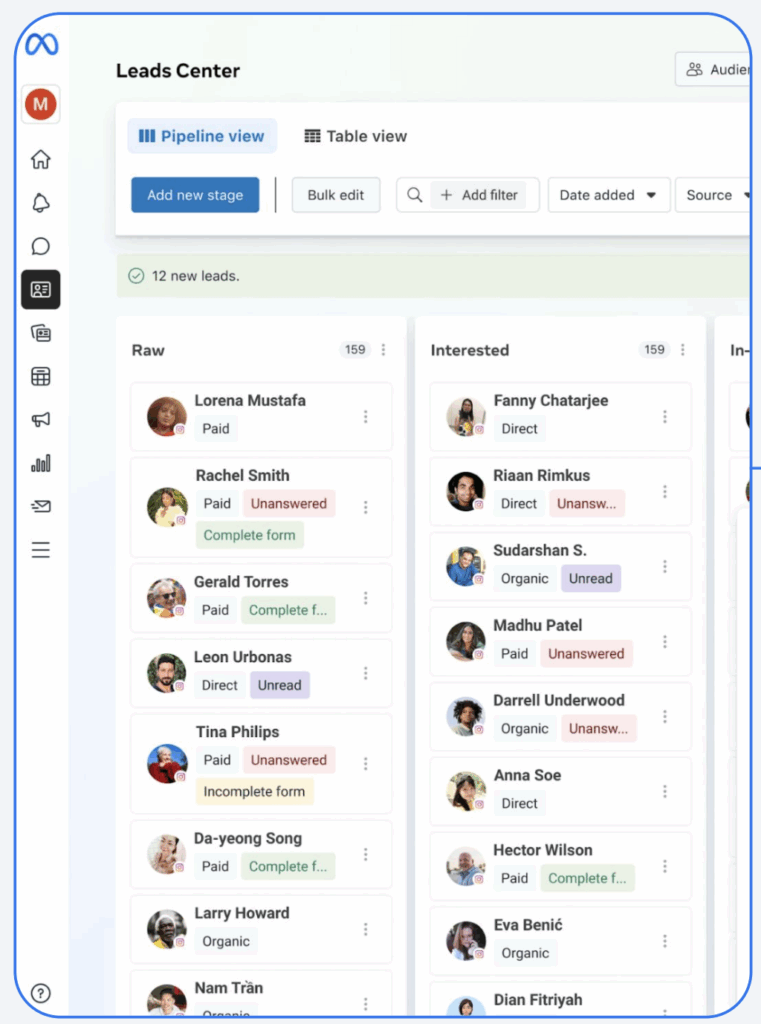
It enables businesses to:
- View, organize, and track incoming leads in one place
- Re-engage leads directly via messaging tools
- Manually add notes or assign leads to team members
It’s a fine starting point if Meta ads are your only source of leads. Be aware of what it won’t do, though. There’s no Leads Center in the Business Suite mobile app. It doesn’t ping you when a lead comes in, and it won’t score leads for you either.
Every new lead lands in the Intake stage and stays there until someone on your team moves it. Not a great solution for keeping leads from going to your competition.
2. CRM integration: Syncing leads automatically
Manually downloading leads is just inefficient. It’s resource-heavy and creates delays. Moreover, Meta only holds on to your leads for 90 days, after which you lose access to them indefinitely.
Connecting your CRM to Meta helps you automatically sync your leads into your CRM the moment a form is completed. If you are using Facebook lead management tools like LeadsBridge integrations, you can also choose to get notified every time that happens.
Automated integrations enable:
- Instant routing to sales or marketing workflows
- Data enrichment and lead scoring
- Historical tracking within your own systems
Popular CRMs like HubSpot, Mailchimp, and Salesforce® offer direct integrations for syncing Facebook leads. This connection lets you run further campaign tracking through Meta’s Conversions API.
Learn how conversion tracking works on Meta.


3. Google Sheets and Lightweight Integrations
Did you know you can use Google Sheets as a CRM?
If you don’t use a full CRM, you can sync Meta leads straight into Google Sheets. It’s an affordable and functional option for simpler setups with no complex data workflows.
When connected via automated data bridges, you can still trigger workflows like email follow-ups or Slack notifications.

4. Automation bridges: Connecting anything to everything
Official Meta Business Partners like LeadsBridge act as middleware that connects your Facebook ads with almost any CRM or marketing tool. This is where automation really pays off.
LeadsBridge, for example, offers real-time lead sync from Facebook to 380+ platforms. This gives you a ton of possibilities to segment, sync audience data, and even track online and offline conversions.
5. Custom integrations
If you prefer full control, you can build your own lead sync using Meta’s API. This is the most flexible but also the most resource-intensive option.
That’s why this option works best for large businesses with dedicated dev teams and highly complicated data management workflows.
See our custom integration solutions.
How LeadsBridge automates your Facebook lead management
For businesses that are serious about scaling their Facebook lead generation, LeadsBridge offers a way to automate lead management and optimize every step.
You are probably already using a CRM, email platform, spreadsheet, or something more custom. With just a few clicks, LeadsBridge lets you create a data bridge between Meta and your existing marketing stack.

Here’s what sets LeadsBridge apart:
1. Real-time lead sync
When someone fills out a lead form on Facebook, that data is immediately sent to your CRM, Google Sheets, email platform, or any of 380+ supported tools. This ensures your team can follow up while the lead is still warm.


2. Support for Meta Conversions API
Beyond syncing leads, LeadsBridge helps you send data back to Meta to optimize your campaign performance. For instance, actions like lead status updates, sales conversions, or form completions. Meta uses this data to optimize ad delivery.

3. Audience syncing for segmentation and retargeting
You can build custom audiences from the lead data you already have stored in your CRM and sync them directly with Meta via integrations. This lets you retarget leads based on behavior, stage in the funnel, or engagement history.
Learn more about automated targeting.
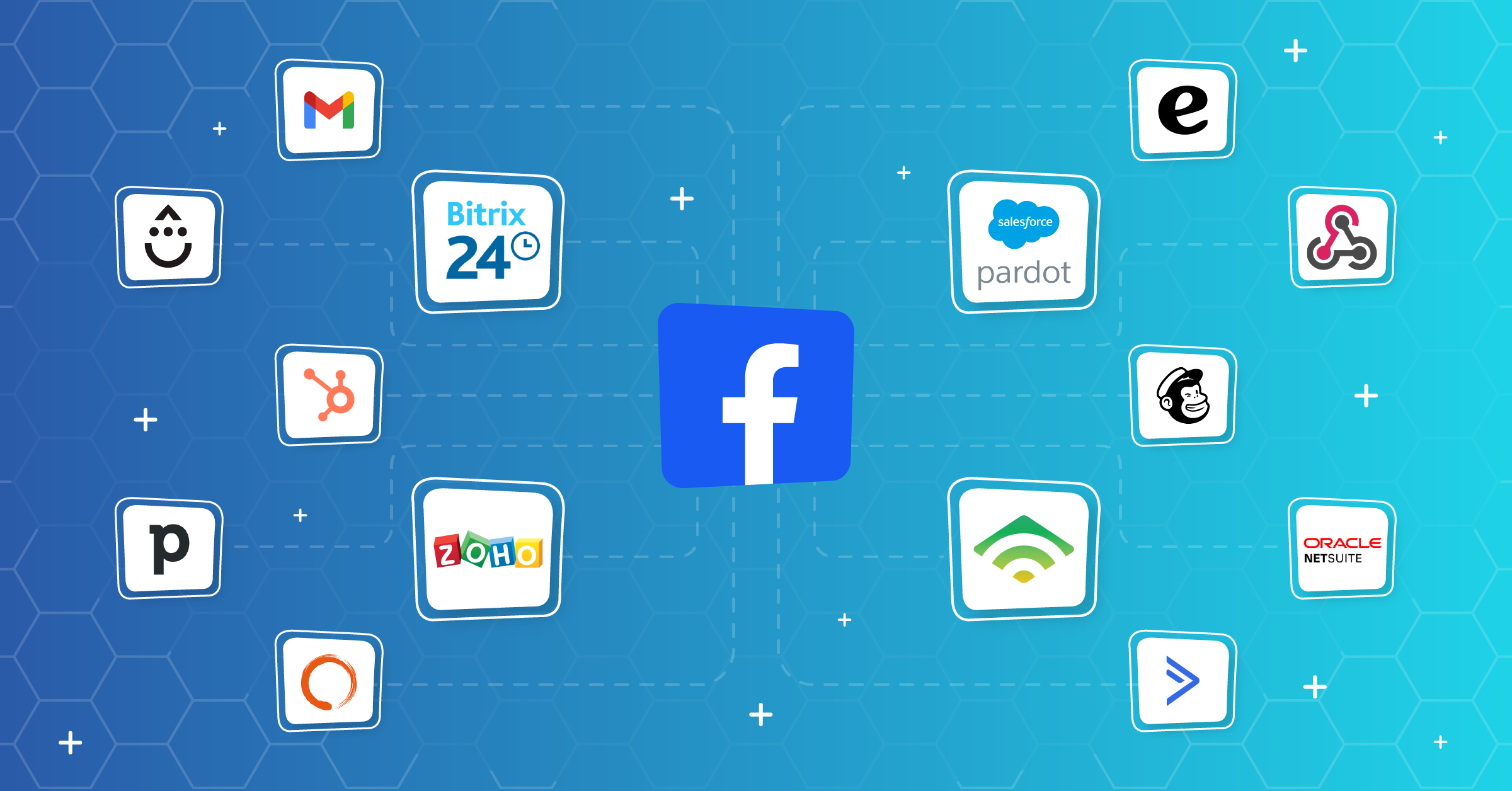
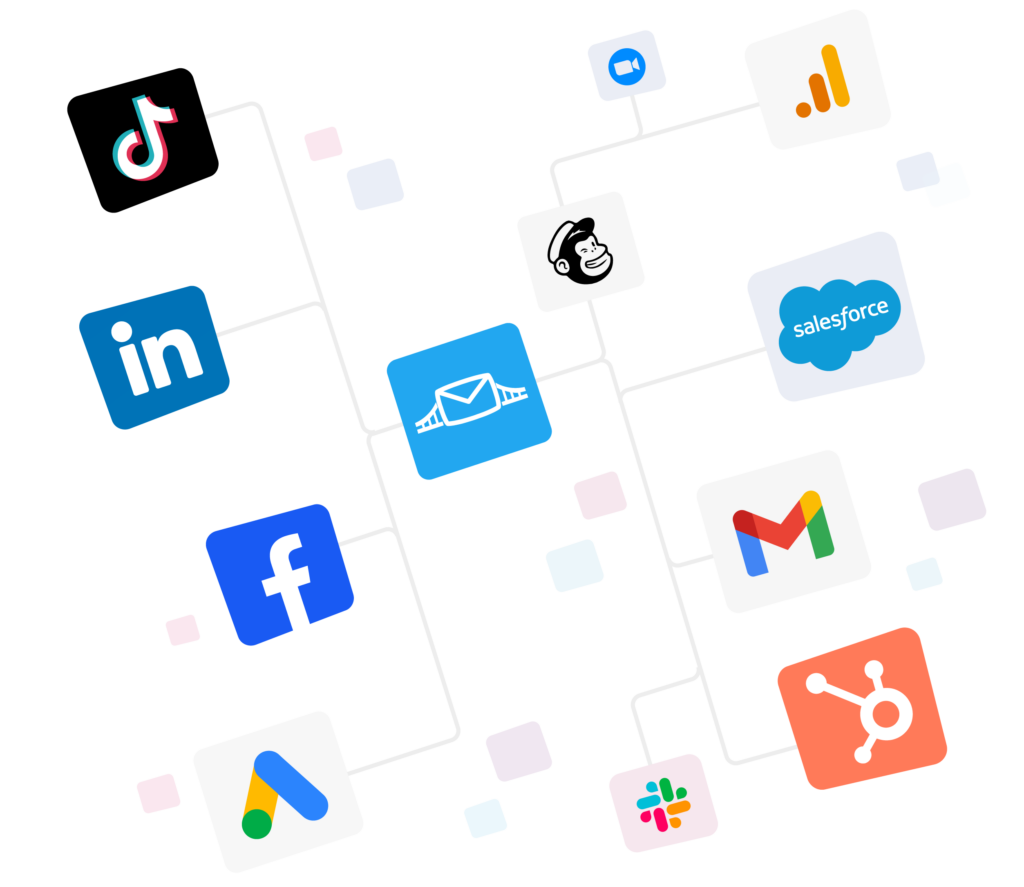
And here are some integrations that can help you do that:


You can also route leads based on form data. For example, sending leads from different campaigns to different sales reps or email flows.
4. Workflow automation without developers
LeadsBridge is designed for marketers and not engineers. You don’t need to write code or manage APIs. Just connect your Meta Ads account, choose your destination (CRM, email platform, etc.), and let integrations do the rest.
5. Comes with Meta-specific features
LeadsBridge Performance Booster connects your CRM to Facebook automatically, so the algorithm can learn which leads actually convert, not just who clicks. The result is better targeting, higher-quality leads, and better ROI without constant manual tweaks.
Common Facebook lead management mistakes to avoid
You can run good ads and still lose most of your leads. These are the mistakes that do the damage, and the good news is that all of them are fixable.
- Treating Meta as storage.
Meta only keeps your lead data for 90 days, then it’s gone. Seeing the count in Ads Manager doesn’t mean the data’s still there for download. Sync it out from day one, even before you’re ready to follow up.
- Waiting for a notification that might not come.
Leads Center won’t ping you when a lead comes in. You only find out if someone checks the tab.

So a lead from Friday night can sit there until Monday, long after they’ve forgotten you or changed their mind altogether.
- Leaving every lead in the Intake stage.
Leads land in Intake and stay there until someone moves them. Nothing happens by itself. Give it a few busy weeks, and you can lose your follow-up process and your leads with it (including your good leads and all).
- Judging campaigns on cost per lead alone.
A cheap lead who never picks up isn’t actually cheap. Lower cost per lead usually means a wider audience or a shorter form, and both bring in weaker intent. Track calls booked and deals closed instead, and work backward from there.
- Only checking on desktop.
Leads Center doesn’t exist in the Business Suite mobile app. So if your team’s on their phones, they can’t see new leads while they’re out. What you can do is automatically sync leads to email, text, or a CRM app instead.
- Letting opt-outs sit in one system.
When someone texts STOP, that should show up clearly on every list you’ve got. If they opt out of texts but still get your emails, then you have a compliance problem.
It’s best to keep your lists updated automatically, and make sure every database checks it. To do this, you need an interconnected data stack.
FAQs
It is how you capture, organize, and follow up on leads from your Facebook and Instagram ad forms. That work is what people usually mean by CRM lead management, which evolves around syncing to your CRM, follow-up, tracking, retargeting, and more.
90 days from the moment someone submits the form. Meta deletes it after that and you cannot get it back. Sync your leads out from day one.
There are three options.
1. Use a native integration if your CRM has one, like HubSpot or Salesforce. However, you cannot connect all your tools this way.
2. Use an integration platform like LeadsBridge. This allows you to manage all your integrations in one place and get near real-time updates.
3. Or build your own connection with Meta’s API if you have developers. This option is resource-heavy.
That’s usually a speed problem. Most teams miss the five-minute window, and lead quality drops fast after that. After speed, check your form. Short forms bring volume but weaker intent.
Also, check that you are sending conversion data back to Meta, because without it the algorithm optimizes for people who click instead of people who buy.
Final thoughts
Facebook lead management comes down to three things:
- Get the lead out of Meta fast.
- Put it where your team will see it.
- Follow up while the person still remembers filling out your form.
Your tools take care of the first two. But it’s your process that can help you with timely follow-up and successful nurturing.
Essentially, it’s a strategy built around your business goals and powered by the right tools to bring it to life. LeadsBridge can help you operationalize lead handling, close the loop with Meta, and reclaim time and conversions lost to inefficiencies.
Learn how you can use LeadsBridge to integrate your favorite marketing tools with Facebook lead ads.