When focusing on lead generation, a large proportion of businesses fall victim to a crucial mistake – measuring success by quantity rather than quality.
This often leaves marketers in the undesirable position of targeting unqualified consumers who do not share any of the characteristics of their ideal audiences.
So how do you avoid this obstacle and ensure you are pursuing leads that are likely to convert?
Throughout this article, you will discover how lead scoring can help to determine buying intentions, how to curate a strategy, and the lead scoring best practices that you can implement to accurately evaluate each prospect.


What is lead scoring?
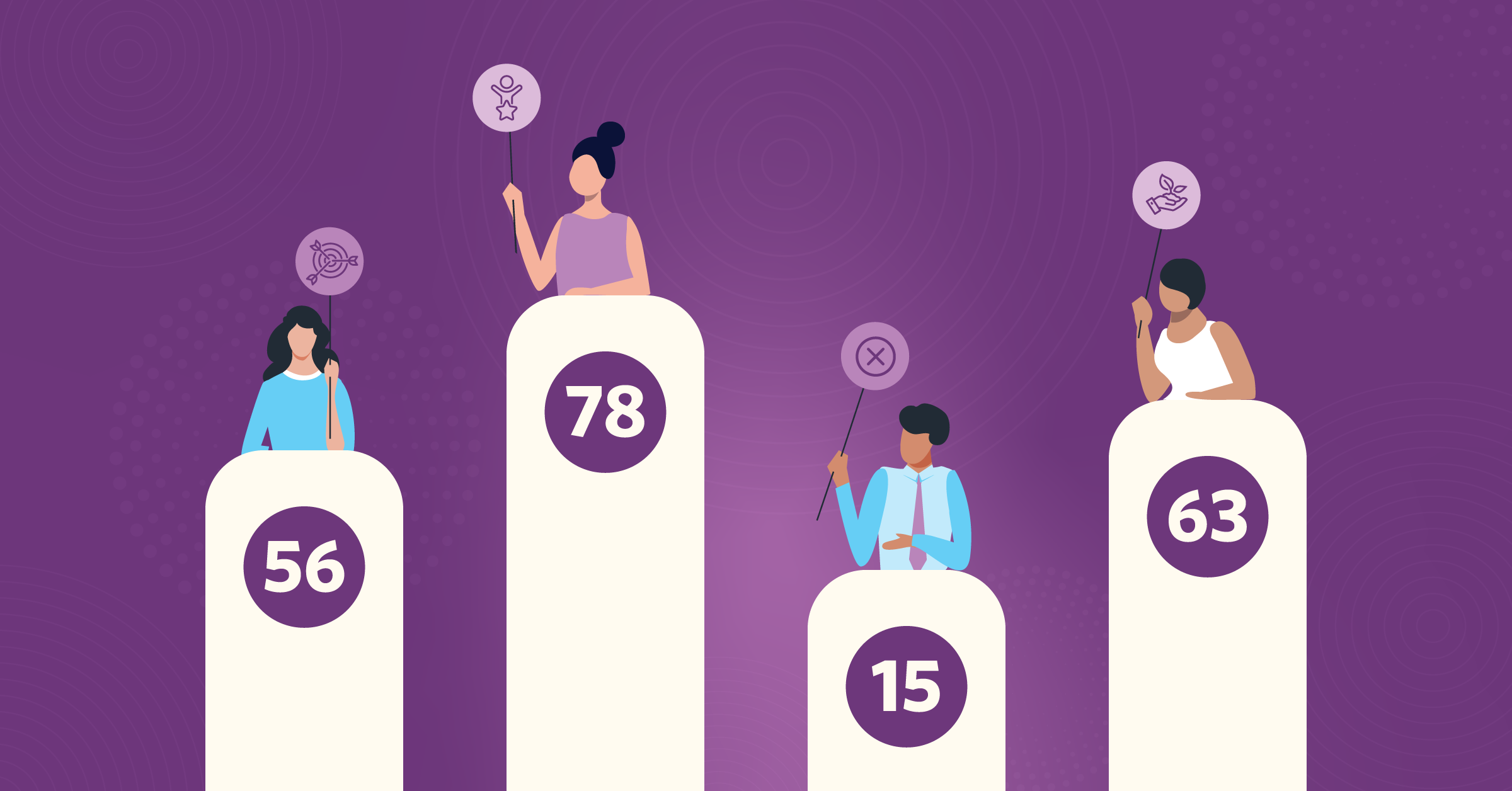
Lead scoring is the practice of assigning numerical values, or points, to a variety of potential customers’ behaviors and attributes. This could include geographic location, click-throughs on social posts, or the most frequent website page visits, to name a few.
The system associated with this process helps businesses determine a prospect’s potential value and likelihood of conversion.
By scoring leads, marketing and sales departments can identify which leads require prioritization and appropriately allocate resources.
What is predictive lead scoring?
Predictive lead scoring refers to the process of using machine learning to analyze a user’s historical data and current customers’ data to predict future outcomes.
This system automatically studies huge amounts of data for you, including CRM data, behavior, social media, data from smart devices, and customer interactions.
The data it has access to helps it better predict which leads are most likely to become customers. Add artificial intelligence on top of that, and it becomes a powerful tool.
How predictive lead scoring works
Predictive lead scoring uses AI to study past customer data, then gives each new lead a score that shows how likely they are to become a customer, so sales teams can focus on the hottest deals instead of guessing.
Instead of using fixed rules like eBook download = 5 points, it learns over time which combinations of actions and traits really lead to sales, and keeps improving its scores as more data comes in.
Here’s a side-by-side comparison of traditional lead scoring vs. predictive lead scoring:

How to use AI for lead scoring?
AI-powered lead scoring helps you focus on the best leads so you can close more deals.
According to a survey by Salesforce®, 98% of sales teams using AI said it helped them pick which leads to work on first. That’s because an AI-powered CRM can pull in way more data than a normal CRM.
Big CRM companies such as Salesforce® also share anonymous data to help train AI, which is useful when your own data is limited.
After some time, you can retrain the AI with your real customer data, so your lead scoring becomes even more accurate.
If you are already using AI to generate leads, your system is already halfway set up.
Why is lead scoring important?
All businesses that are actively marketing will eventually receive plenty of leads, especially with PPC campaigns.
When you have a CRM brimming with leads, it’s easy to feel full of hope and potential. Unfortunately, most of these leads will fail to convert.
But your sales team must have a reliable process for assessing which leads should receive more of your attention and which offers to present.
This can help you convert high-quality leads faster, which is also a crucial part of conversion funnel optimization.
While creating your scoring system, you may realize that some of your marketing campaigns are targeting the wrong audience segments, which could set you up for failure.
So how do you fix this? You should first understand how a scoring system works.
How does lead scoring work?
You know that your target customers fit into a certain profile, which includes the following traits.
For example, leads should have titles like CMO or higher. You’ll work with any brand that spends $1,000 per month, but prefer clients who spend at least $5,000 per month.
These particular traits earn positive points with lead scoring. You also know that you have several indicators of high-intent leads, which include the following:
- Getting in touch through your ‘Contact us’ form, or “your ‘Contact me’ page.
- Actually scheduling a meeting with your sales team
- Downloading a lead magnet on your site
- Regularly opening email series campaigns
- Creating an account with your company
- They came from referrals of existing clients
You plug all of this information into a lead scoring tool so it can identify high-value clients. This can either be synced with your CRM (or, in some cases, you can use the native lead scoring tools that come with some CRMs), so all contacts receive a score that’s based on these factors.
This is best done via automated integrations:


Your sales team will know to act right away to schedule that pitch deck meeting and close the deal before they get a chance to book with another agency.
How to create a lead scoring strategy
Creating a lead scoring strategy requires some research beforehand.
Let’s take a look at the lead scoring best practices that will help you create an effective strategy.
1. Assess your existing customers
The first step of creating a lead scoring model is to examine your existing customers closely.
This starts with segmenting your customers. That graphic design agency might have the following segments:
- High-value retainer clients who spend $3k+ per month and retain for several years on average
- High-value and high-profile clients who spend $15k once but grant significant exposure
- Mid-value retainer clients who spend $1k per month for one year on average
- Low-value clients who want to work on an assignment-only basis can make those relationships harder to manage.
Each of these audiences has some consistent qualities.
Some examples of different traits that you may want to look for when creating a lead scoring model (including traits for both B2B and B2C brands) include:
- Brand name recognition
- Company size
- Company revenue
- Monthly ad spend
- Annual household income
- Geography
- Industry
- Personal credit score
- How they found you
- Expected budget
- Desired features
You can create instant forms on Facebook lead ads that help you get some of this qualifying information upfront. All you need to know is what information you’re looking for first.


Take a look at this instant form example, shown to the user who clicked a lead ad on Facebook.

2. Choose a scoring model
Lead scoring models will help you identify high-value sales opportunities at different points of the sales funnel and your individual customer journey or lead lifecycle.
This mostly falls under the “contact” scoring sphere, as it applies to existing customers as well as leads.
Examples of different contact scoring models include:
- Lead scoring models, which are designed to identify high-spending and/or long-retaining customers
- Upselling models, which look for contacts that you can sell higher-cost products or plans to
- Cross-selling models, which help you identify users who may be interested in additional products or services
- Re-engagement models, which help you find users who need to be re-engaged in order to retain them
- Brand advocacy models, which allow you to identify users or customers who may be a good fit for brand advocates or referral programs
Different lead scoring models will consider different indicators.
Re-engagement models, for example, will look for indicators of disconnected customers, such as repeatedly filed support tickets or decreased log-ins or tool usage.
Upselling models, meanwhile, may look at indicators like users who reach the top limits of their monthly plans.
Robust contact scoring tools will also allow you to test out different versions of a single model. This makes it easier to determine which factors really lead to identifying high-value opportunities.
3. Include negative scoring
Positive scoring is important because it helps you move prospects closer to becoming a marketing-qualified lead.
But how do you evaluate and manage the unqualified leads that are simultaneously entering your database?
These unqualified customers are usually people who live outside your service area or work in an industry that isn’t right for your business. They can also be leads who have totally stopped engaging with your marketing.
It is a lead scoring best practice to assign negative scores to prospects that begin to show signs of prolonged low engagement or take actions such as unsubscribing from your mailing list.
When the sales cycle has become elongated in this way, you can proceed in the following way:
- Deduct 10 points if no action after 60 days
- Deduct 25 points if no action after 90 days
- Deduct 120 points if no action after 120 days
All of this is only possible if you have automated lead management in place.
4. Consider using a lead scoring tool
You can handle your lead scoring manually, but it can take a significant amount of time because you need to assess each lead individually.
Lead scoring tools can be a lifesaver for this reason. They can automate lead scoring, providing you with accurate and actionable data.
Another good tip is to use lead scoring models that look at who the person is and what they do, and also how often and how recently they’ve taken action.
For instance, the user who completed their free trial six months ago is less “hot” than someone who just signed up for a webinar this week.
Identifying high-value sales opportunities is complicated because customer journeys are complex; it’s essential to consider all of the above factors using a bird’s-eye view of all your leads’ data.
Automated data bridges can sync your leads into your CRM and help you build strong conversion data insights. These integrations should be a part of your CRM enhancement strategy.


Additionally, LeadsBridge connects with some of the best lead scoring tools, such as:


5. Train your sales team on how to use this
Once your lead scoring system is set up, teach your sales team how to use it.
Teach them how to use the system to identify easier-to-convert or higher-value leads by leveraging lead scoring across multiple platforms. Now, as soon as a fresh batch of leads shows up after a promotion or through a PPC lead sync data drop, they’ll be ready to respond appropriately.
6. Regularly update and refine your strategy
As with any strategy, a lead scoring best practice is to continuously evaluate, update, and refine your process.
Doing this will allow you to keep up with the ever-changing customer journey, shifts in audience segments, and other changes that may need to be identified in order for your scoring to be accurate.
Let’s say that you introduce a new channel to your campaign and begin publishing ads on Facebook. You’ll need to add this new attribute and decipher which points you are assigning to each lead based on the unique benefits you wish to acquire from using this platform.
These may differ from those of your other social channels.
How to score leads: A step-by-step guide
Use your CRM with AI lead management to quickly see which leads are most likely to buy.
Step 1: Find your overall conversion rate
Your lead-to-customer conversion rate is your baseline. Use this formula to find out:
(Leads that became customers divided by Total leads) multiplied by 100.
For example, if 100 out of 200 leads become customers, your conversion rate is 50%.
Step 2: Define your ideal customer
Pick the traits that matter most, like:
- Role or title
- Industry
- Actions like watching a webinar or filling out a form
Talk to sales and marketing to choose the best attributes, then test and tweak over time.
Step 3: Calculate close rates for each attribute
Check how often leads with certain traits or behaviors become customers. The higher the close rate for an attribute, the more points it should get.
Your CRM’s predictive lead scoring can do most of this automatically once you choose the data to include.
Step 4: Compare each attribute to your baseline
Compare each attribute’s close rate to your overall conversion rate. Then, give more points to attributes with higher-than-average close rates.
For example, if your baseline is 50%, your:
- Webinar viewers convert at 75% means high points
- CTO title converts at 65% also means high points
Don’t forget to subtract points for low-value leads, like fake emails, wrong countries, or people who clearly aren’t interested. Additionally, markets and customer behavior change. If your conversion rate drops, your scoring model is probably outdated.
Using old or bad data is a no-go. Even the best scoring tools and AI are useless with stale data. Keep your lead data fresh and accurate, including both your wins and losses.
Can I use native lead scoring tools?
Many CRM platforms have built-in lead scoring tools as a bonus add-on feature. Here’s what to look for in lead scoring tools:
- AI-powered lead management to predict which leads to prioritize and highlight the best deals.
- Built-in CRM integration so scores stay synced, and you can group similar fields (like different titles that all mean “C-level”).
- Reports and dashboards that show conversion chances, pipeline health, and performance in a simple, visual way.
If you don’t have much historical data yet, choose a tool that can use anonymous data from other customers to train the model. Later, you can switch it over to your own data as you grow, making your scoring more accurate over time.
Some of the top tools on the market now include Salesforce®, ActiveCampaign, and HubSpot. There are even email lead scoring tools like those offered by Mailchimp.
You can use LeadsBridge to sync information from these marketing tools and create dynamic lead scoring systems. Using platform-to-platform integrations, you can effectively receive, organize, and score information about your leads.
Check out these popular integrations for each of these marketing tools, which help marketers with their lead scoring system:
Salesforce® integrations:

ActiveCampaign integrations:

HubSpot integrations:
Mailchimp integrations:


Many of these tools are good baseline-level lead scoring tools. This means they automatically sync with your primary source of customer data, such as a tool you’re already using, and provide great baseline data.
Lead scoring and marketing automation: What is possible?
Ideally, you want to choose a lead scoring tool that integrates with all of your other essential tools that store high-value customer data.
In many cases, this may include:
- Your email software
- Your CRM
- Your lead ads
- Other customer data platforms that assess customer journeys
Lead scoring and marketing automation work by automatically syncing this data into one place and then transporting it to the lead scoring tool of your choice. That way, the tool is getting all of the relevant data possible, and so is your sales team.
How to use Pardot lead scoring
Pardot (now Marketing Cloud Account Engagement) operates a lead qualification system called Pardot Score (now Salesforce Account Engagement). It’s designed to help businesses evaluate a prospect’s interest in your products or services.
This system measures how many interactions a lead has with your Pardot assets. This means that the more a lead interacts with your business, the higher their awareness of your offering, and also their score.
Pardot offers two scoring systems:
- Default
- Customized
Default scoring system
The default scoring system utilizes the predetermined point allocation system issued by Pardot. When a lead performs a specific action, such as opening an email, downloading a form, or viewing a page, a score is assigned by default and added to their Pardot score.

Customized scoring system
With this Pardot lead scoring system, users can customize the default scores to meet their business’s individual needs.
To ensure as few changes as possible are needed, it’s a lead scoring best practice for your marketing and sales team to determine which actions should receive a specific score.
These can then be altered over time to better align with changes within your campaign or customer behavior.
You also need to feed data from your other advertising tools into Pardot so its scoring and grading models can work with rich, reliable engagement data.

How to use Salesforce® lead scoring
When using Salesforce®, there are two options for basing your lead scoring. These are:
- Predictive
- Manual
Predictive scoring
Predictive scoring within Salesforce® focuses on predicting when a potential customer will convert. Using artificial intelligence, customer, lead, and account data from across your entire database are analyzed to estimate future outcomes.
Predictive scoring removes human error, being entirely reliant on hard data modeling algorithms. This AI lead scoring uses the Salesforce® Einstein feature.
Additionally, if your database does not provide sufficient information to establish a score, it will draw from the anonymous data of other Salesforce® customers using a global scoring model.

Einstein regularly re-trains its models (currently about every 10 days). It can also be configured to present essential metrics for your business, such as average lead score or lost opportunities.
Manual scoring
Manual lead scoring in Salesforce® means manually scoring your leads and accounts, instead of guessing how likely each lead is to become a customer.
To start, you create a new score field, like “Lead Score” or “Account Score.” Then you build your own scoring system using the data you already have in Salesforce®, such as job titles, email opens, and industries.
If you don’t use Einstein (or don’t have the license), you need to create your own custom “Lead Score” or “Account Score” fields and automation.
You also need to sync data from all of your other advertising tools into Salesforce, so it has enough high-quality data to learn from and perform well.
How to use Marketo lead scoring
Using Marketo (now Adobe Marketo Engage), you can implement a lead scoring system that helps you determine which of your prospects have a higher probability of completing a conversion.

To establish a lead’s score, Marketo uses two types of data:
- Explicit
- Implicit
Explicit data is basic info about a person, like their job title, role, or where they live.
Implicit data is what you learn about them from their online behavior, like the pages they visit or what they click on.
In Marketo, lead scoring uses this info to sort people into different groups, such as prospects and leads. Based on their demographic and behavioral data, each group gets a score from 0 to 30.

Marketo also assigns negative points for certain actions or traits, such as not opening emails or unsubscribing.
Many teams pick an MQL threshold (for example, Adobe’s own marketing team uses around 65 points) to decide when a prospect is ready for sales.
In Marketo, you can customize the whole scoring system to match your business goals, ideal customer types, and product details.
You also need to stream data from all your other advertising platforms into Marketo, so it has enough complete, accurate data to score and segment leads effectively.

How to use HubSpot lead scoring
HubSpot’s lead scoring tool helps you measure both a contact’s engagement and how well they fit your ideal customer profile.
Instead of relying on a single manual score property, HubSpot now lets you build separate engagement and fit scores, and (if you want) a combined score that blends the two.
Keep Lead Status focused on lifecycle stage only (new, working, qualified, etc.), and use the lead scoring tool to indicate how engaged and how relevant a contact is.

The scoring models add up key interactions (like page views and form fills) and profile details (like job title and company size), so your sales team can quickly see which contacts to reach out to first.
HubSpot lead scoring is usually built around two pillars:
- Intent: how interested they seem (what they click, watch, or download)
- Fit: how well they match your ideal customer (role, industry, company size, etc.)
Basic scoring setup
Instead of creating a custom score property, configure HubSpot’s lead scoring tool to handle your scoring.
Lead Status should track where someone is in your process (new, working, qualified, etc.), while your lead scores show how engaged and how relevant they are.

In your lead scoring model, you can:
- Add points for strong signals, such as email clicks, page views, key form submissions, or webinar attendance.
- Subtract points for low-value or bad-fit signals like unsubscribes, bounced emails, or disqualifying fields.
This gives you clear numbers that reflect overall engagement and fit, without overloading Lead Status.
Customized scoring system
You can then customize your HubSpot lead scoring rules to match your business and sales process.
- Align with sales and marketing on which behaviors show intent and which traits define a good-fit lead.
- Use behavior data (page views, key pages, forms, webinars) for intent, and profile data (job title, industry, company size) for quality.
- Add decay rules so older activity is worth less (or subtract points after long inactivity).
- Keep the score focused: use workflows or lists for strict “must-have” criteria instead of cramming everything into the score.
Over time, review and adjust your scoring model as your product, market, and ideal customer change, so your HubSpot scoring consistently reflects who your sales team should talk to first.
Make sure you’re syncing data from every ad channel into HubSpot so its lead scoring and automation have a full picture of each contact’s behavior.
You also need to stream data from all your other advertising platforms into Marketo so it has enough complete, accurate data to score and segment leads effectively.rketo allows you to design your lead scoring system according to your business priorities and goals, customer profiles and product specifications.
Key takeaways
When you have a solid lead scoring system, you can quickly spot your best leads and help your sales team close deals faster. To make the most of it, keep these tips in mind:
- Send all new lead info straight to your sales team. This is simple with email leads, but also make sure you’re using tools that sync leads from platforms like Facebook.
- Ask qualifying questions on your lead forms. Many social platforms let you add custom questions. Use this because having the right info from the start makes a big difference.
- Update your lead scoring as your business changes. Markets, customer behavior, and your products will evolve over time, so adjust your scoring models to match your new target audience.
Discover how all your potential leads can be sent straight to your sales team using LeadsBridge’s automatic sync for Facebook Ads.